

Confirm WooCommerce orders on WhatsApp and notify fulfilment on Telegram
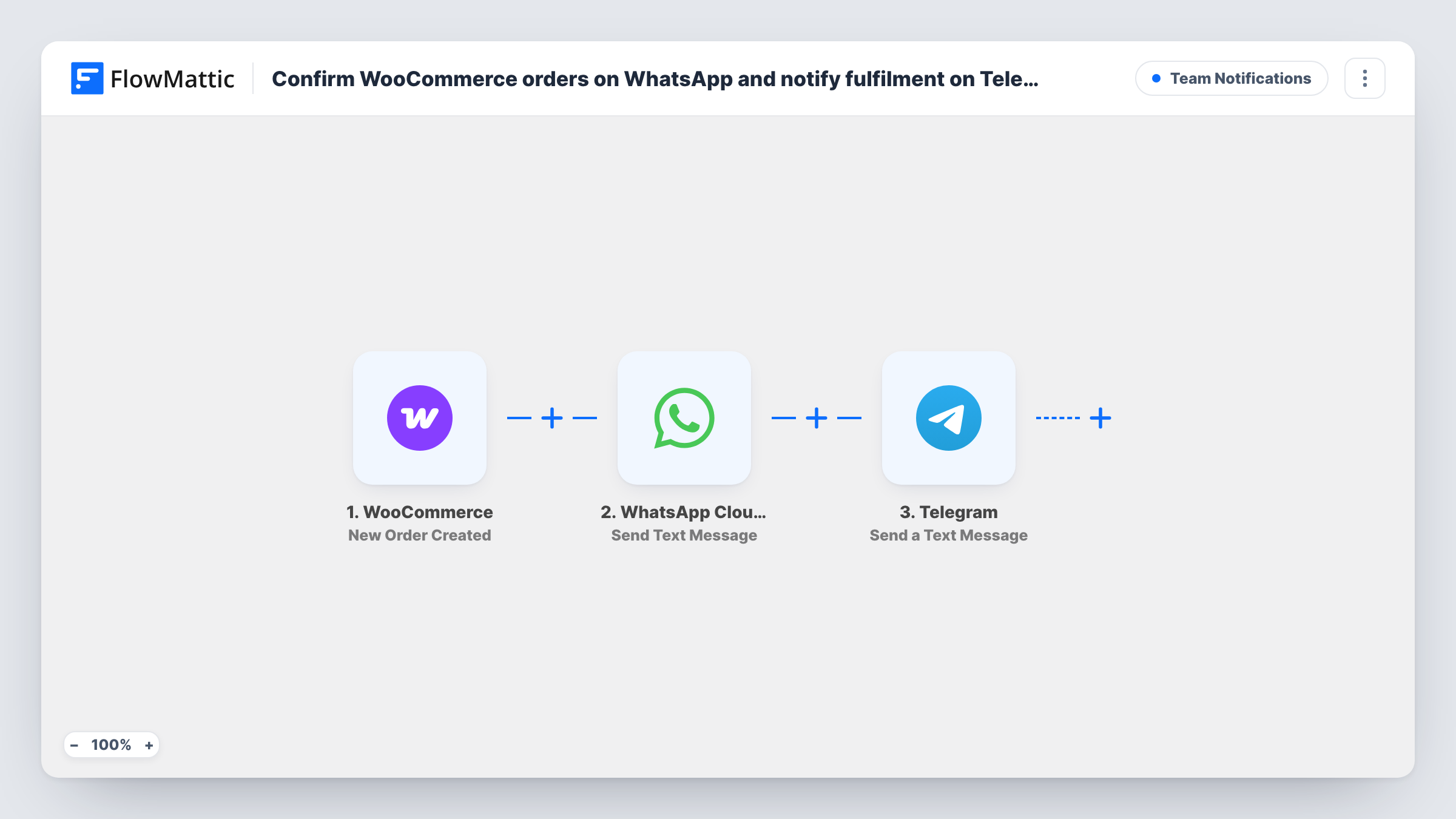
For each new WooCommerce order, the customer gets a WhatsApp text confirming their order number, and then your fulfilment team gets a Telegram message with the order number and total.
 WooCommerce
 WhatsApp Cloud API
 Telegram
3 steps Setup ~5 min Used on 2.9k sites Ops Free to import
What this workflow does
Shops that talk to customers on WhatsApp and coordinate packing in a Telegram group end up switching between the store admin and two chat apps for every sale. This workflow sends both messages from the order itself, so the customer and the people who ship it hear about it without anyone copying details.
The WooCommerce trigger picks up each order as it is placed. FlowMattic first uses WhatsApp Cloud API to text the billing phone number, thanking the customer by first name and confirming the order number. Next, the Telegram step sends a text message with the order number, the currency and the total, marked as an order to fulfil.
The two messages go out one after the other, WhatsApp first, not at the same moment. There is no condition on the order, so every new order gets both messages, including ones still waiting for payment. If the customer left the phone field blank, the WhatsApp step has no recipient for that order. Task History shows each run and any step that failed.
Local food or flower delivery
The customer gets a WhatsApp confirmation with their order number, and the kitchen or florist sees the order land in the team's Telegram group.
Shops in markets where buyers use WhatsApp
Customers who expect a chat message rather than an email get a WhatsApp confirmation for each order, while staff stay in Telegram.
Owner packing orders alone
A solo seller keeps Telegram open on the phone and gets each new order number and total there, without logging into the store.
How this workflow runs
What happens at each step once the workflow is on, and what you need before you import it.
 WooCommerce New Order Created
Runs for each order placed in your WooCommerce store. The billing phone, first name, order number, currency and total are passed to both messaging steps.
- WhatsApp Cloud API Send Text Message
Texts the customer's billing phone number on WhatsApp, thanking them by first name and confirming the order number. Connect your WhatsApp Cloud API account on import.
- Telegram Send a Text Message
Sends a Telegram message marking the order as one to fulfil, with its number, currency and total. Connect Telegram on import and test that the message reaches your team's chat.
What you need
- FlowMatticCore
- WooCommerce PluginPlugin
- WhatsApp Cloud API AccountAccount
- Telegram AccountAccount
After importing, map your own data. To keep the template universal, not every step is pre-filled. Open each step in the builder and connect your accounts and fields (channels, lists, sheets, recipients) before you switch the workflow on.
Make it yours
Changes worth making after you import it.
- Make the billing phone field required at checkout and ask for the country code, so every order has a number in a format WhatsApp can use.
- Map the shipping address or the list of products into the Telegram text, so the person packing has everything needed in one message.
- Add a Filter after the trigger that checks the payment method if unpaid bank transfer orders should not trigger messages. The trigger runs once per order, so these orders are not picked up again when paid.
Questions about this workflow
Are the WhatsApp and Telegram messages sent at the same time?
No. They run in order: the WhatsApp confirmation to the customer first, then the Telegram message to your team, usually moments apart.
Does the customer get a WhatsApp confirmation before the WooCommerce order is paid?
Yes, as imported. The trigger fires when the order is created and the message says the order is confirmed, whatever its payment status.
Can WhatsApp deliver a business text to a shopper who has never messaged us?
WhatsApp limits free-form business text to people who messaged your number in the last 24 hours, and expects an approved template beyond that window. Test with a number that has not chatted with you to check your setup.
Does the Telegram message tell the team who placed the order?
Not as imported. It carries the order number, currency and total. Add the billing name or shipping details to the Telegram text if your team needs them.
More Team Notifications workflows
Other ready-to-import templates from the same category.





Import this workflow into your WordPress site
Download the JSON, import it from the Workflows screen and connect your accounts. Every run stays on your server, with no per-task fees.
30-day money-back guarantee Unlimited workflows and runs Self-hosted