

When form submission received in Gravity Forms with a field value as base64 encoded string, call PHP function base64_decode and pass the field value to decode it, and update user meta in WordPress with the decoded value
A base64-encoded value from a Gravity Forms entry is decoded with PHP’s base64_decode, the WordPress user is found by email, and the decoded text is saved to that user’s meta.
 Gravity Forms
 PHP Functions by FlowMattic
 WordPress
 Filter
5 steps Setup ~8 min Used on 2.4k sites Free to import
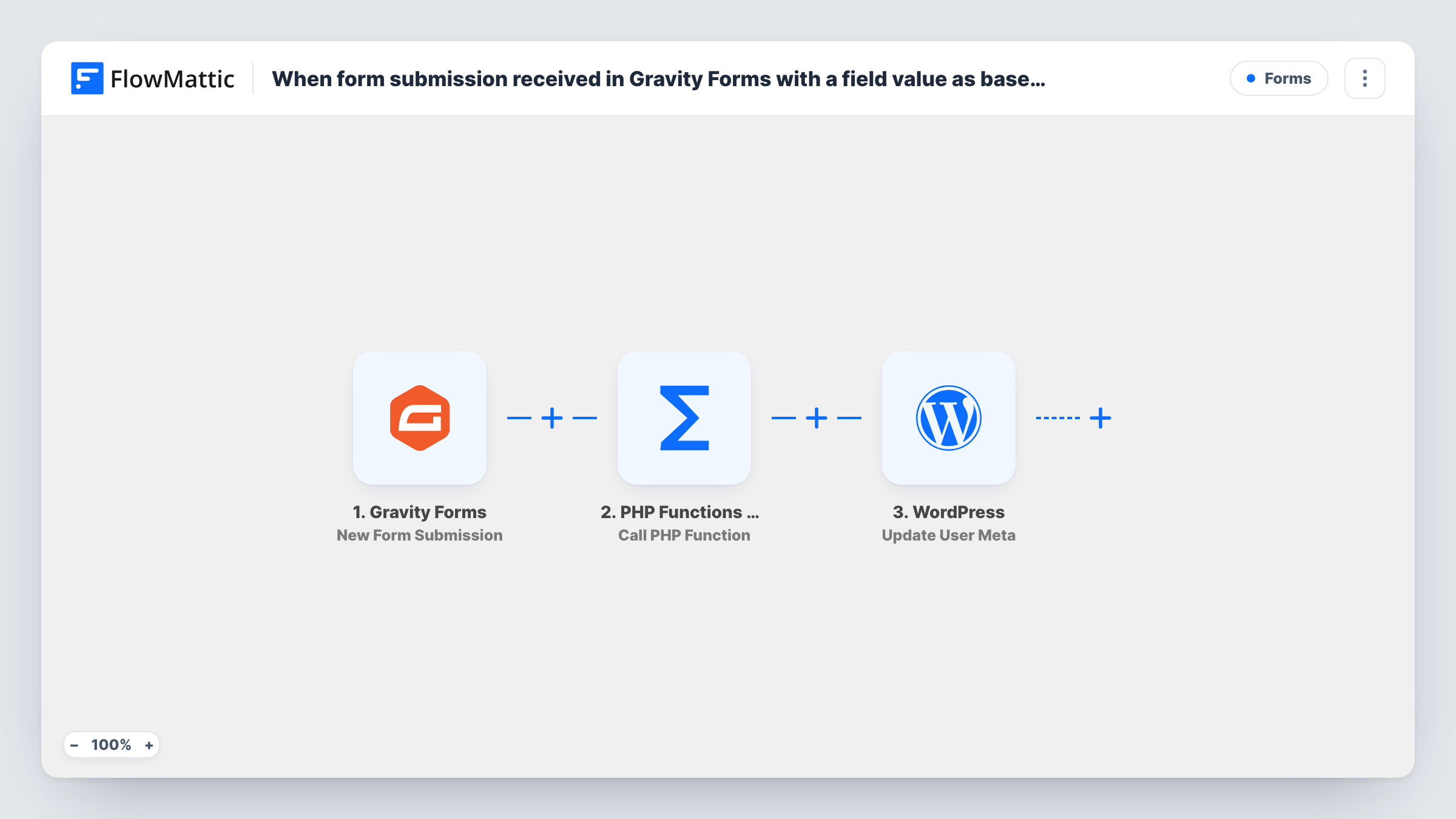
What this workflow does
Some forms carry a value in base64: a hidden field filled by a script, a token from another system, or data passed in through the URL. Storing that encoded string on a user profile is rarely useful. This workflow decodes it first and writes the readable value to the matching WordPress user's meta.
The Gravity Forms trigger starts on a new form submission. The PHP Functions by FlowMattic step then calls a PHP function with data from the entry. It ships unmapped: enter base64_decode as the function and pass the encoded field as its parameter. The decoded text comes back in the step's response, ready to map.
Next, the WordPress Get User by Email step looks up the account for the email you map from the form. A Filter follows that only continues when that lookup returned a user ID, so a submission from an email with no account stops there. The last step, Update User Meta, already uses the user ID found by the lookup. You add the meta key and map the decoded value from the PHP step.
Test with a real entry and check Task History for each step's output, including the decoded value and the user ID that was updated.
Referral codes passed in the URL
A membership site sends members a link with a base64 referral code that fills a hidden Gravity Forms field. The decoded code lands in the member's user meta for later reports.
Device or app identifiers from an embedded form
A mobile app opens a Gravity Forms page with an encoded device ID. The workflow stores the readable ID on the logged-in member's profile.
Profile data sent by a partner system
A training provider receives a base64 string with a learner's external ID from its partner and saves it to the matching WordPress user, found by email.
How this workflow runs
What happens at each step once the workflow is on, and what you need before you import it.
 Gravity Forms New Form Submission
Starts when a Gravity Forms entry is submitted. The entry's fields, including the encoded value and the person's email, are passed on for the next steps to use.
- PHP Functions by FlowMattic Call PHP Function
Calls a PHP function with entry data. Nothing is set as imported: type base64_decode as the function name and map the encoded Gravity Forms field in as the parameter. The decoded text is returned for mapping.
- WordPress Get User by Email
Looks up the WordPress user whose email matches the one you map from the form. If no account has that email, the step returns a user-not-found message and no user ID.
- Filter Continue If Condition Meet
Continues only when the user lookup returned a user ID. Entries whose email has no WordPress account stop here, so no meta is written for them.
- WordPress Update User Meta
Updates meta on the user found in step 3, using that step's user ID, which the template already maps. Add the meta key you want and map the decoded value from the PHP Functions step into it.
What you need
- FlowMatticCore
- Gravity Forms PluginPlugin
After importing, map your own data. To keep the template universal, not every step is pre-filled. Open each step in the builder and connect your accounts and fields (channels, lists, sheets, recipients) before you switch the workflow on.
Make it yours
Changes worth making after you import it.
- Map the email field into Get User by Email after import. The template leaves it empty, so as shipped no user is found and the Filter stops the run.
- Choose a meta key prefix of your own, such as your site's short name, so the decoded value doesn't overwrite a key another plugin uses.
- If the encoded field can arrive empty, add a second condition to the Filter between Get User by Email and Update User Meta that checks the PHP step's decoded value isn't empty.
- Gravity Forms can also pass the logged-in user's email in a hidden field, which makes the lookup in step 3 match the person who is signed in.
Questions about this workflow
Do I need to write any PHP code for base64_decode?
No. base64_decode is built into PHP, so the PHP Functions step can call it by name. You enter the function name and map the encoded Gravity Forms field as its parameter.
What happens if the Gravity Forms email has no WordPress account?
Get User by Email finds no account, so it returns no user ID. The Filter checks for that ID and ends the run there, and no meta is written. Task History shows which email was looked up.
Which user meta key is updated?
The one you add in the Update User Meta step. The template sets only the user ID from the lookup, so you choose the key and map the decoded value from the PHP Functions step.
What if the field isn't valid base64?
PHP's base64_decode may return false or garbled text for input that isn't valid base64. Check the PHP Functions step's response in Task History with a test entry before you rely on it.
More Forms workflows
Other ready-to-import templates from the same category.






Import this workflow into your WordPress site
Download the JSON, import it from the Workflows screen and connect your accounts. Every run stays on your server, with no per-task fees.
30-day money-back guarantee Unlimited workflows and runs Self-hosted