

AI agent that summarises each booked call and preps the team
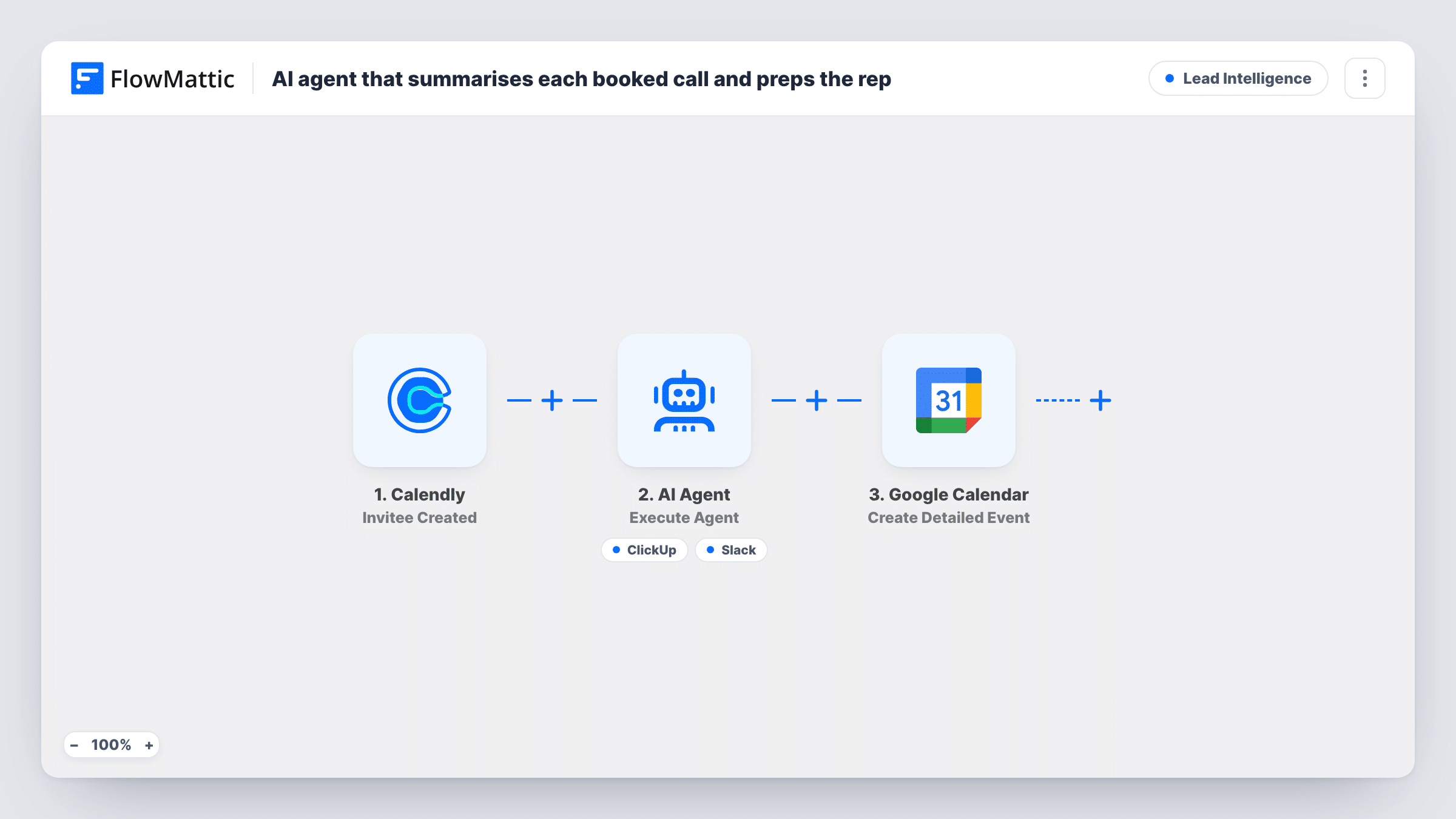
When someone books a Calendly call, an AI agent turns their booking answers into a prep brief with talking points, can file a ClickUp task and post the brief to Slack, and a Google Calendar event is added.
 Calendly
 AI Agent
 ClickUp
 Slack
Slack
 Google Calendar
5 steps Setup ~8 min Used on 801 sites Growth Free to import
What this workflow does
Sales calls go better when the person taking them has read what the prospect said at booking. This workflow does that reading for you: each new Calendly booking is turned into a short brief and three talking points, and the team gets a task and a calendar entry for the call.
The Calendly Invitee Created trigger starts a run for each new booking on your event types. It passes the invitee's name, email, the answers to your booking questions and the call's start and end times. Note that the brief summarises those answers before the call takes place; nothing here reads a recording or notes from the call itself.
The AI agent is told to write the brief and talking points, create a ClickUp prep task and post the brief to the sales Slack channel. Its two tools are ClickUp Create Task, with the task name and description written by the agent, and Slack Send Channel Message, with the message written by the agent. The agent decides when to use each, so look at the first runs in Task History.
After the agent, Google Calendar creates an event called "Prep:" plus the invitee's name. Its start and end are mapped to the call's own times, so the event overlaps the call rather than sitting before it. Change those times if you want a separate prep slot.
Discovery calls with context
A consultant asks about budget and goals on the Calendly form, and reads the agent's three talking points in Slack before each discovery call.
Shared sales queue in ClickUp
A small agency gets a ClickUp prep task per booking, so whoever is free can pick up the call and see the brief in the task description.
Demo prep for product teams
A software company's demo bookings arrive in the sales Slack channel with the prospect's stated use case summarised, so the demo can start from it.
How this workflow runs
What happens at each step once the workflow is on, and what you need before you import it.
 Calendly Invitee Created
Runs as soon as an invitee books a time with you in Calendly. Passes the invitee's name, email, booking answers and the meeting's start and end times.
- AI Agent Execute Agent
An AI agent on OpenAI GPT-4o gets the invitee's name, email and booking answers, and is told to write a prep brief with three talking points, create a ClickUp task and post the brief to Slack.
- ClickUp Create Task
Agent tool. Creates a ClickUp task whose name and description the agent writes. Connect ClickUp after import and run a test booking to see where the task lands.
- Slack Send Channel Message
Agent tool. Posts a message written by the agent to a Slack channel. Pick your sales channel in the tool after import, since the template doesn't set one.
- Google Calendar Create Detailed Event
Creates a Google Calendar event titled "Prep:" with the invitee's name, using the Calendly call's own start and end times. Connect your Google account and adjust the times if you want an earlier slot.
What you need
- FlowMatticCore
- Calendly AccountAccount
- AI ProviderAccount
- ClickUp AccountAccount
- Slack AccountAccount
- Google Calendar AccountAccount
After importing, map your own data. To keep the template universal, not every step is pre-filled. Open each step in the builder and connect your accounts and fields (channels, lists, sheets, recipients) before you switch the workflow on.
Make it yours
Changes worth making after you import it.
- Add questions to your Calendly event type, such as company, goals and timeline, because the agent's brief can only be as useful as the booking answers it receives.
- Set the Google Calendar event's start and end to a slot before the call, so the prep time doesn't sit on top of the meeting itself.
- Add a second copy of this workflow on Calendly's Invitee Canceled trigger to post a short Slack note, so the team knows when a prepped call is off.
Questions about this workflow
Does the agent summarise what was said on the call?
No. It works from the answers the invitee gave when booking in Calendly, before the call happens. Nothing in this workflow reads a recording or meeting notes.
Will a ClickUp task and Slack post appear for every booking?
The agent is told to do both, but it decides when to call each tool. Check Task History for the first few bookings to see which tools it used.
Why does the Google Calendar prep event overlap the Calendly call?
Its start and end are mapped to the call's own times. Change them in the Create Detailed Event step if you want the prep block to happen earlier.
What happens if a Calendly booking is later cancelled?
Nothing in this workflow. The ClickUp task, the Slack post and the calendar event stay. Use Calendly's Invitee Canceled trigger in a separate workflow if you want to tidy up.
More Lead Intelligence workflows
Other ready-to-import templates from the same category.






Import this workflow into your WordPress site
Download the JSON, import it from the Workflows screen and connect your accounts. Every run stays on your server, with no per-task fees.
30-day money-back guarantee Unlimited workflows and runs Self-hosted