

Turn each submission into a PDF and email it to the respondent
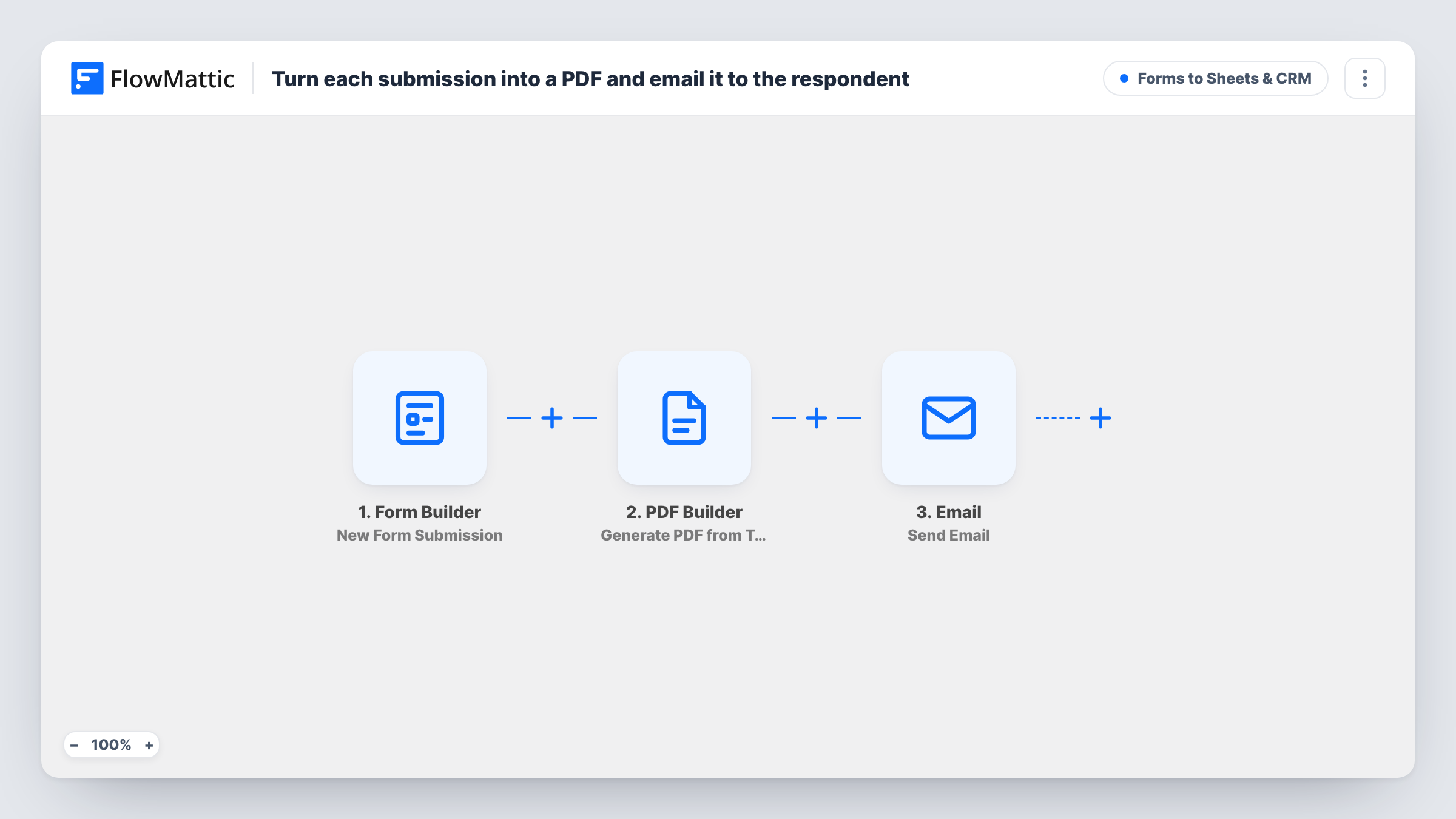
Each FlowMattic Forms submission is filled into one of your saved PDF templates, and the respondent gets an email with a link to their own copy of the PDF.
 Form Builder
 PDF Builder
 Email
Email3 steps Setup ~5 min Used on 1.1k sites Lead Capture Free to import
What this workflow does
People who fill in an application, an order request or a registration often want a record of exactly what they sent. Writing that copy by hand does not scale, and a plain confirmation email rarely looks like a proper document. This workflow builds a PDF from each submission and sends the person a link to it.
The FlowMattic Forms trigger runs when your chosen form receives a submission, and every answer becomes data for the next steps. PDF Builder then fills a saved PDF template with those answers and saves the finished file to your WordPress Media Library. The template ships pointing at template ID 12 and names the file after the respondent, for example submission-Jane.
The last step is FlowMattic's Email module, which sends through WordPress mail or your own SMTP account. It goes to the email address from the form, with the subject "A copy of your submission" and a short greeting that includes the PDF's URL. The file itself is not attached as imported; the reader opens it from the link.
Grant or membership applications
Applicants receive a formatted PDF of everything they entered, which they can keep or forward to a referee while you review the application.
Service request forms
A customer asking for a repair or a quote gets a document listing the details they gave, so both sides refer to the same record.
Event registration summaries
Registrants get a PDF showing their name, session choices and other answers, ready to print or show on the day.
How this workflow runs
What happens at each step once the workflow is on, and what you need before you import it.
 Form Builder New Form Submission
Runs each time the FlowMattic form you select receives a new submission. Every field value, including name and email, is passed on for the PDF and the email.
- PDF Builder Generate PDF from Template
Fills your saved PDF template with the submission data and saves the rendered PDF to the Media Library. Change the template ID from 12 to your own template and map each form answer into it.
 Email Send Email
Sends an email to the address the respondent entered. The subject reads "A copy of your submission" and the body greets them by name and gives the link to the PDF from the previous step.
What you need
- FlowMatticCore
After importing, map your own data. To keep the template universal, not every step is pre-filled. Open each step in the builder and connect your accounts and fields (channels, lists, sheets, recipients) before you switch the workflow on.
Make it yours
Changes worth making after you import it.
- Point the PDF Builder step at your own template first. Template ID 12 is only a placeholder, so a run with the wrong ID will not produce the document you expect.
- Prefer a real attachment to a link? FlowMattic's Email step can attach files stored on your WordPress site, so add the PDF from the PDF Builder step as an attachment and trim the link from the body.
- Add a Filter after the trigger that continues only when a "send me a copy" checkbox is ticked, so only people who ask for a PDF receive one.
Questions about this workflow
Does the respondent get the PDF as a file or as a link?
Linked, as imported. The email body includes the PDF's URL from the PDF Builder step. FlowMattic's Email step can also attach files stored on your site if you would rather send the file itself.
Where are the generated PDFs stored?
PDF Builder saves each rendered PDF to your WordPress Media Library. Anyone with the link can open a Media Library file, so keep that in mind for forms that collect private details.
Do I need a separate PDF service for FlowMattic Forms submissions?
No. PDF Builder and FlowMattic Forms are both part of FlowMattic. You design the PDF template in PDF Builder, then select it in the workflow step.
Which mail service sends the respondent's copy?
FlowMattic's Email module, which uses WordPress mail or the SMTP account you enter. Use an SMTP provider if your site's default mail tends to land in spam.
More Forms to Sheets & CRM workflows
Other ready-to-import templates from the same category.






Import this workflow into your WordPress site
Download the JSON, import it from the Workflows screen and connect your accounts. Every run stays on your server, with no per-task fees.
30-day money-back guarantee Unlimited workflows and runs Self-hosted