

Add Eventbrite order buyers to FluentCRM as contacts
When someone places an Eventbrite order, FlowMattic creates or updates the buyer as a contact in FluentCRM on your WordPress site, so ticket buyers are ready for your follow-up emails.
 Eventbrite
 FluentCRM
2 steps Setup ~5 min Used on 1.2k sites Free to import
What this workflow does
Eventbrite handles ticketing well, but the buyer list lives in Eventbrite. If you run your newsletter and follow-ups from FluentCRM, this workflow brings each buyer into it, so you can thank them, send reminders and invite them to the next event from WordPress.
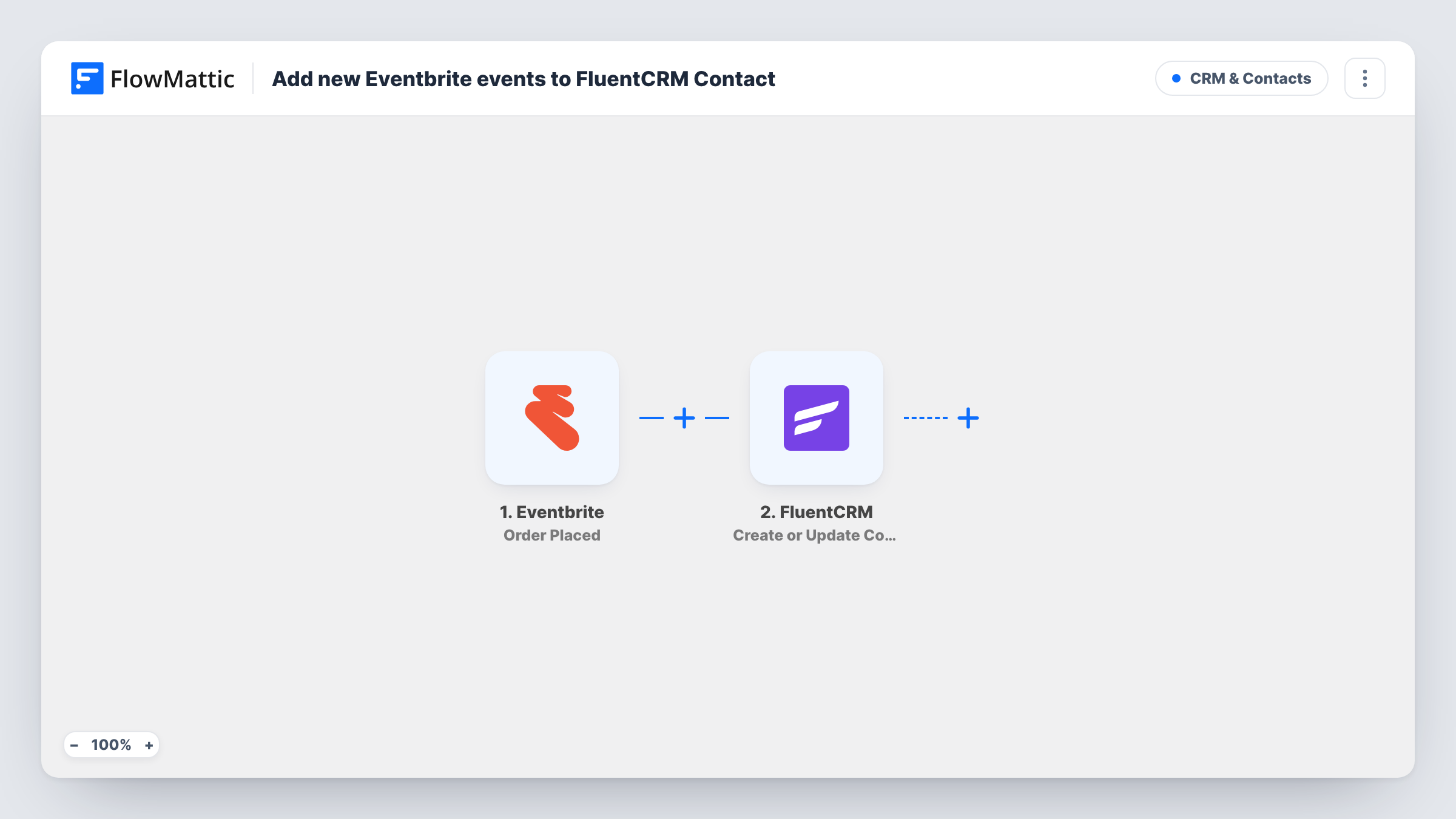
The Eventbrite Order Placed trigger fires when an order is placed for your events. FlowMattic passes the order details, including the buyer's name and email, to the next step. One order starts one run, even when it holds several tickets.
The FluentCRM Create or Update Contact step matches contacts by email address. A new buyer becomes a new contact, and a returning buyer's existing contact is updated instead of duplicated. The step ships unmapped: map the buyer's email and name from the order. To sort buyers into a list or tag, add FluentCRM's Add Lists to Contact or Add Tags to Contact after it.
Only the person who placed the order is added, not each guest named on the tickets. Place a test order on a free or hidden ticket type and check Task History to see the data Eventbrite sent and FluentCRM's response.
Workshop follow-up sequence
A trainer sells workshop seats on Eventbrite and tags each buyer in FluentCRM, which starts a sequence with prep notes and a feedback request.
Audience list for future events
A meetup organiser keeps every past ticket buyer in a FluentCRM list and emails them first when the next date goes on sale.
Conference buyers next to members
An association sees in FluentCRM which conference ticket buyers are already members, because both sets of people share one contact list.
How this workflow runs
What happens at each step once the workflow is on, and what you need before you import it.
 Eventbrite Order Placed
Fires when an order is placed on Eventbrite. The order and the buyer's details are passed to FluentCRM. Each order starts one run, whatever the number of tickets in it.
- FluentCRM Create or Update Contact
Creates the buyer as a FluentCRM contact, or updates the contact with that email if it exists. The template maps nothing, so connect the buyer's email and name from the order yourself.
What you need
- FlowMatticCore
- Eventbrite AccountAccount
- FluentCRM PluginPlugin
After importing, map your own data. To keep the template universal, not every step is pre-filled. Open each step in the builder and connect your accounts and fields (channels, lists, sheets, recipients) before you switch the workflow on.
Make it yours
Changes worth making after you import it.
- Add FluentCRM's Add Tags to Contact after the Create or Update Contact step, with a tag per event, so you can email one event's buyers without touching the rest of your list.
- Add a second workflow on Eventbrite's Order Refunded trigger to tag refunded buyers in FluentCRM, so they drop out of event reminders.
- If your consent rules require it, add FluentCRM's Update Contact Status after the contact step and set new event buyers to pending.
Questions about this workflow
What if the Eventbrite buyer is already in FluentCRM?
FluentCRM looks the buyer up by email. An existing contact with the same email is updated with the mapped details rather than duplicated.
Are all attendees on a group order added to FluentCRM?
No. The trigger is Order Placed, so each run carries the buyer who placed the order. FlowMattic's Eventbrite integration has Get Attendee by Order Id if you want to look up the attendees as an extra step.
Does FluentCRM send anything to the buyer automatically?
Not from this workflow, which stops once the Eventbrite buyer is saved in FluentCRM. Any email they receive comes from FluentCRM automations or campaigns you set up yourself.
Will past Eventbrite orders be imported?
No. Only orders placed after the workflow is on start a run. Export earlier buyers from Eventbrite and import them into FluentCRM separately.
More CRM & Contacts workflows
Other ready-to-import templates from the same category.






Import this workflow into your WordPress site
Download the JSON, import it from the Workflows screen and connect your accounts. Every run stays on your server, with no per-task fees.
30-day money-back guarantee Unlimited workflows and runs Self-hosted