

Create a Google Calendar follow-up event after a Whereby session ends
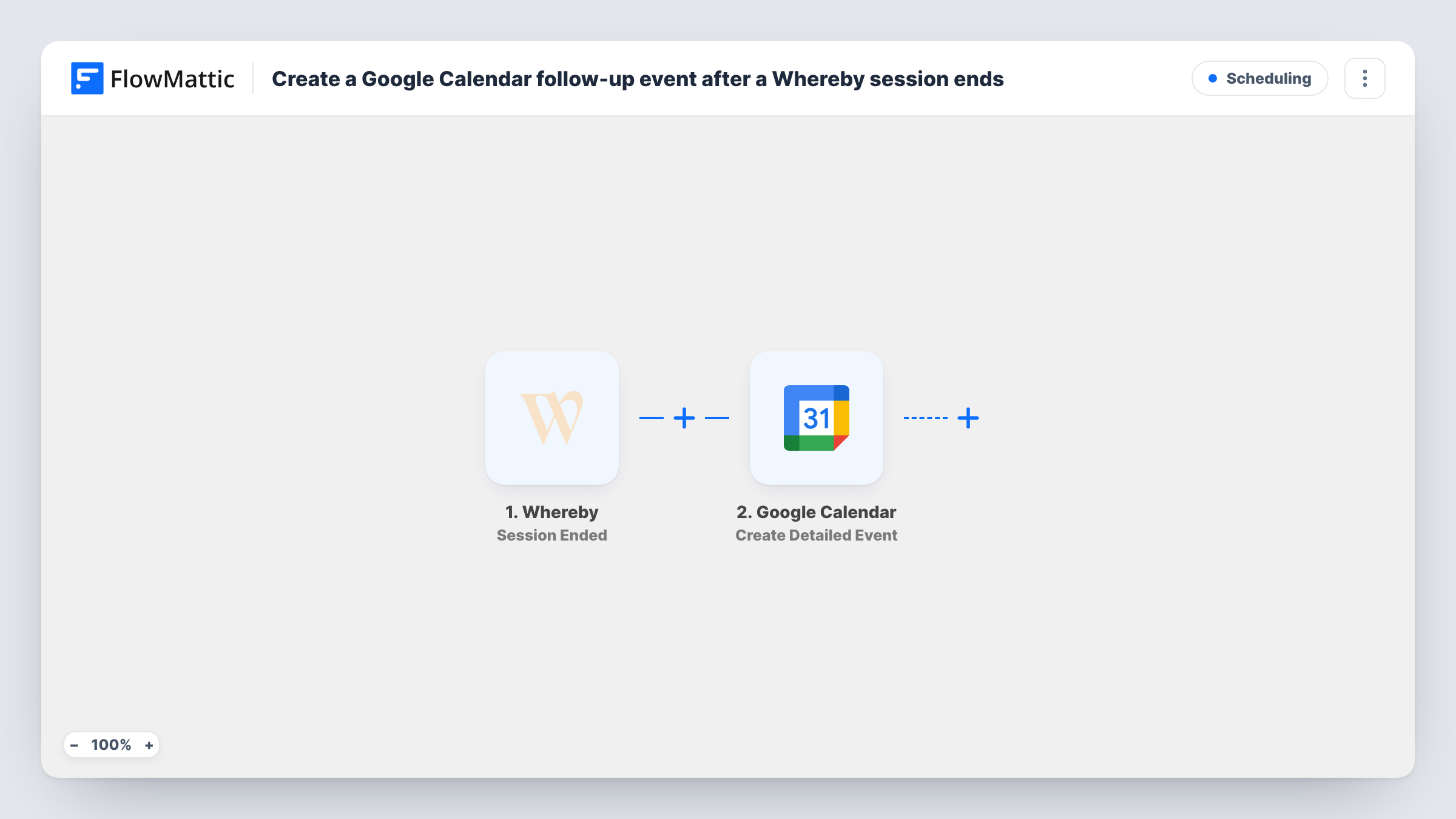
When a Whereby room session ends, this workflow creates a Google Calendar event, giving you a follow-up slot on your calendar for each meeting held in that room.
 Whereby
 Google Calendar
2 steps Setup ~5 min Used on 3.1k sites Free to import
What this workflow does
Follow-ups slip when they depend on remembering to book them after a call. This workflow puts a follow-up event in Google Calendar each time a Whereby session ends, so there is always a slot reserved for the next step.
FlowMattic describes the Whereby Session Ended trigger as firing when a room session ends after the number of participants has been below two for some time. A run starts then, with the details Whereby sends about the session. The Google Calendar Create Detailed Event action creates a new event on the calendar you pick. You decide its title, timing and description, and can mix in Whereby values such as the room.
Every ended session creates one event, whether or not the meeting needs a follow-up. Set the event's timing with care: if you want it a few days later, work the date out from the session data or the current date before the calendar step. Task History records each run and the event Google returns.
Coaching sessions
A coach runs client calls in a personal Whereby room. Each finished session puts a check-in slot on the coach's calendar for writing up notes.
Recurring client reviews
An account manager meets clients in Whereby. The follow-up event acts as a reminder to send the recap and agreed actions.
Interview loops
After each candidate interview in a Whereby room, a calendar event reserves time for the interviewer to submit feedback.
How this workflow runs
What happens at each step once the workflow is on, and what you need before you import it.
 Whereby Session Ended
Fires when a Whereby room session ends, meaning participants have been fewer than two for some time. Run a test session to see the details Whereby sends.
- Google Calendar Create Detailed Event
Books the follow-up as a new event on a Google calendar of your choosing. Connect your Google account, then enter the follow-up title and timing and map any Whereby values you want in the description.
What you need
- FlowMatticCore
- Whereby AccountAccount
- Google Calendar AccountAccount
After importing, map your own data. To keep the template universal, not every step is pre-filled. Open each step in the builder and connect your accounts and fields (channels, lists, sheets, recipients) before you switch the workflow on.
Make it yours
Changes worth making after you import it.
- Add a Date/Time Formatter step with Add/Subtract Time before the calendar step to place the follow-up a set number of days after the session.
- Add a Filter on the room value Whereby sends if only one room's sessions need a follow-up, so other rooms create no events.
- End one short test session after import and check the event in Google Calendar before you rely on the timing.
Questions about this workflow
When exactly does Whereby report that a session ended?
When the room has had fewer than two participants for some time. A brief drop to one person may not count, and the run may start a little after everyone leaves.
Does the follow-up event invite the Whereby participants?
Not as imported. The template has no attendee mapping set, and a test run shows whether Whereby sends any participant details you could use.
Will every Whereby session create a Google Calendar event?
Yes. Each ended session starts one run and creates one event. A Filter on the room value narrows it to the rooms that need follow-ups.
How do I schedule the follow-up for a later day?
Calculate the date before the calendar step, for example with the Date/Time Formatter's Add/Subtract Time action, and map the result into the event's start and end.
More Scheduling workflows
Other ready-to-import templates from the same category.



Import this workflow into your WordPress site
Download the JSON, import it from the Workflows screen and connect your accounts. Every run stays on your server, with no per-task fees.
30-day money-back guarantee Unlimited workflows and runs Self-hosted