

Create a Zoom meeting when a Calendly event is scheduled
When someone books a meeting through Calendly, this workflow creates a Zoom meeting in your account using the booking’s details, so each booking has its own Zoom meeting.
 Calendly
 Zoom
2 steps Setup ~5 min Used on 1.5k sites Free to import
What this workflow does
Each Calendly booking needs a video meeting, and creating them by hand in Zoom is a repetitive task. This workflow creates a new Zoom meeting every time someone books through Calendly.
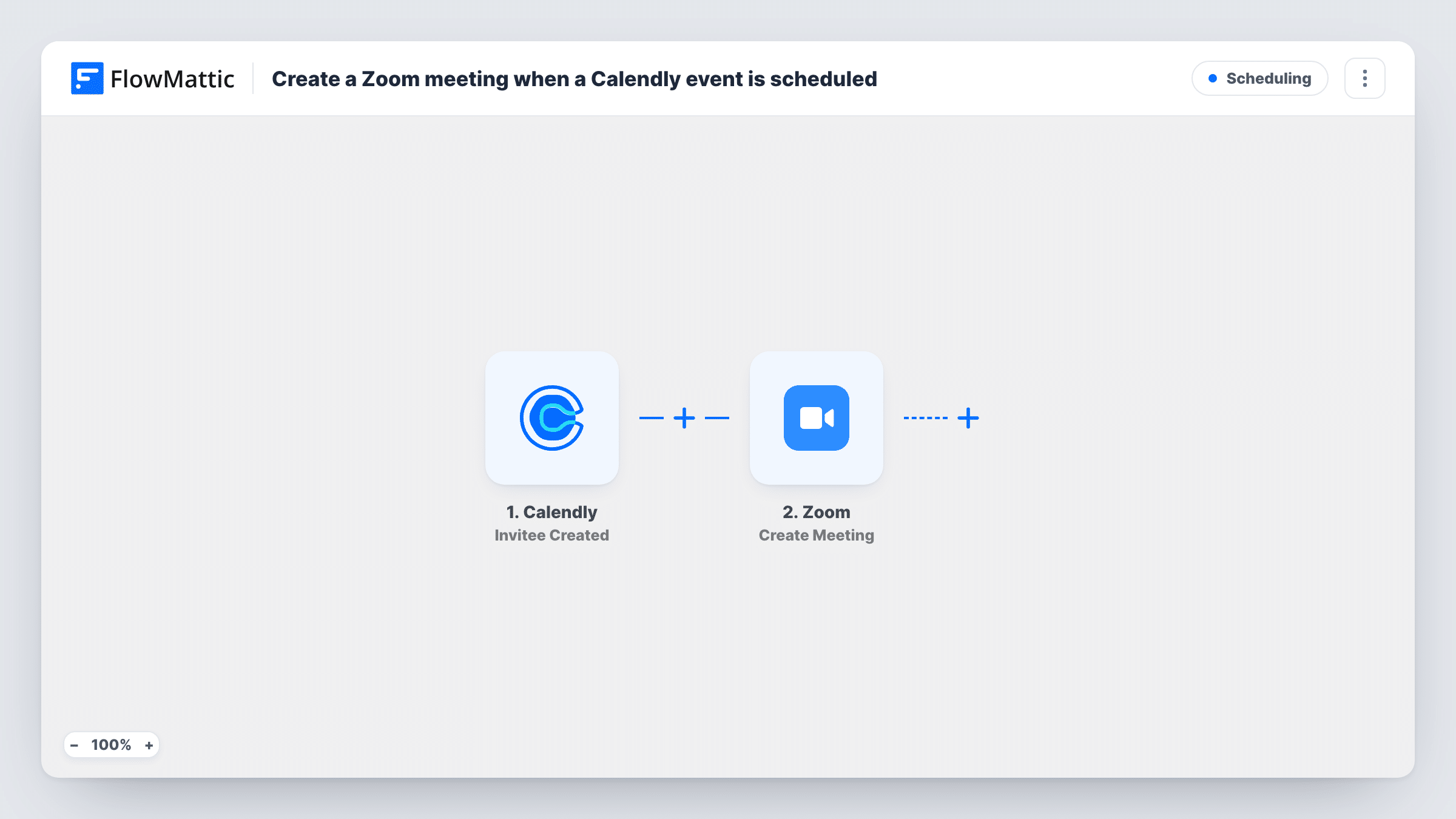
The Calendly trigger, Invitee Created, fires when someone books a meeting with you. FlowMattic passes the booking details to Zoom, where Create Meeting makes a new meeting in your connected account. You map details such as the event name, the invitee's name and the start time into the meeting.
As imported, the workflow stops once the Zoom meeting exists. The join link is not sent to the invitee or written back to Calendly, so add a step that does that if you need it. Every booking creates a meeting, including rebookings. Task History records each run and the meeting details Zoom returned.
Consultant discovery calls
Each prospect who books a discovery call through Calendly gets a matching Zoom meeting in your account, named after them and set for the booked time.
Tutoring sessions
A tutor who takes bookings through Calendly has a Zoom meeting ready for every session, and adds an email step to send the link to the student.
Sales demos
Demo bookings create Zoom meetings in the sales rep's account, and a Slack step after it can post the join link to the deal channel.
How this workflow runs
What happens at each step once the workflow is on, and what you need before you import it.
 Calendly Invitee Created
Fires when someone books a meeting through your Calendly account. The invitee and event details are passed on so you can map them into the Zoom meeting.
- Zoom Create Meeting
Creates a new meeting in your connected Zoom account. Map the Calendly start time, event name and invitee name into it, then check a test booking in Task History.
What you need
- FlowMatticCore
- Calendly AccountAccount
- Zoom AccountAccount
After importing, map your own data. To keep the template universal, not every step is pre-filled. Open each step in the builder and connect your accounts and fields (channels, lists, sheets, recipients) before you switch the workflow on.
Make it yours
Changes worth making after you import it.
- Add an Email step after Create Meeting to send the Zoom join link to the invitee's email address from the Calendly booking.
- Add a Filter after the trigger on the Calendly event type, so only bookings that need a video call create a Zoom meeting.
- Book a test slot after import and check that the Zoom start time matches the Calendly time, since time zone handling can differ between the two.
Questions about this workflow
Does the Calendly invitee get the Zoom link?
Not as imported. The workflow creates the meeting only. Add an email or other message step after Create Meeting and map the join link from Zoom's response.
What happens to the Zoom meeting if the Calendly booking is cancelled?
Nothing. The workflow listens for new bookings only, so a cancellation leaves the Zoom meeting in place. Build a second workflow on Calendly's Invitee Canceled event if you want to handle that.
Does a rescheduled Calendly booking create a second Zoom meeting?
It can. If Calendly reports the new time as a new invitee booking, the workflow runs again and creates another meeting. Test a reschedule to see how your account behaves.
Which Zoom account hosts the meeting?
The account you connect in the Create Meeting step. All meetings from this workflow are created there.
More Scheduling workflows
Other ready-to-import templates from the same category.






Import this workflow into your WordPress site
Download the JSON, import it from the Workflows screen and connect your accounts. Every run stays on your server, with no per-task fees.
30-day money-back guarantee Unlimited workflows and runs Self-hosted