

When a form submission is received in QuestionScout, create a customer in Desku, and add a new user in WordPress
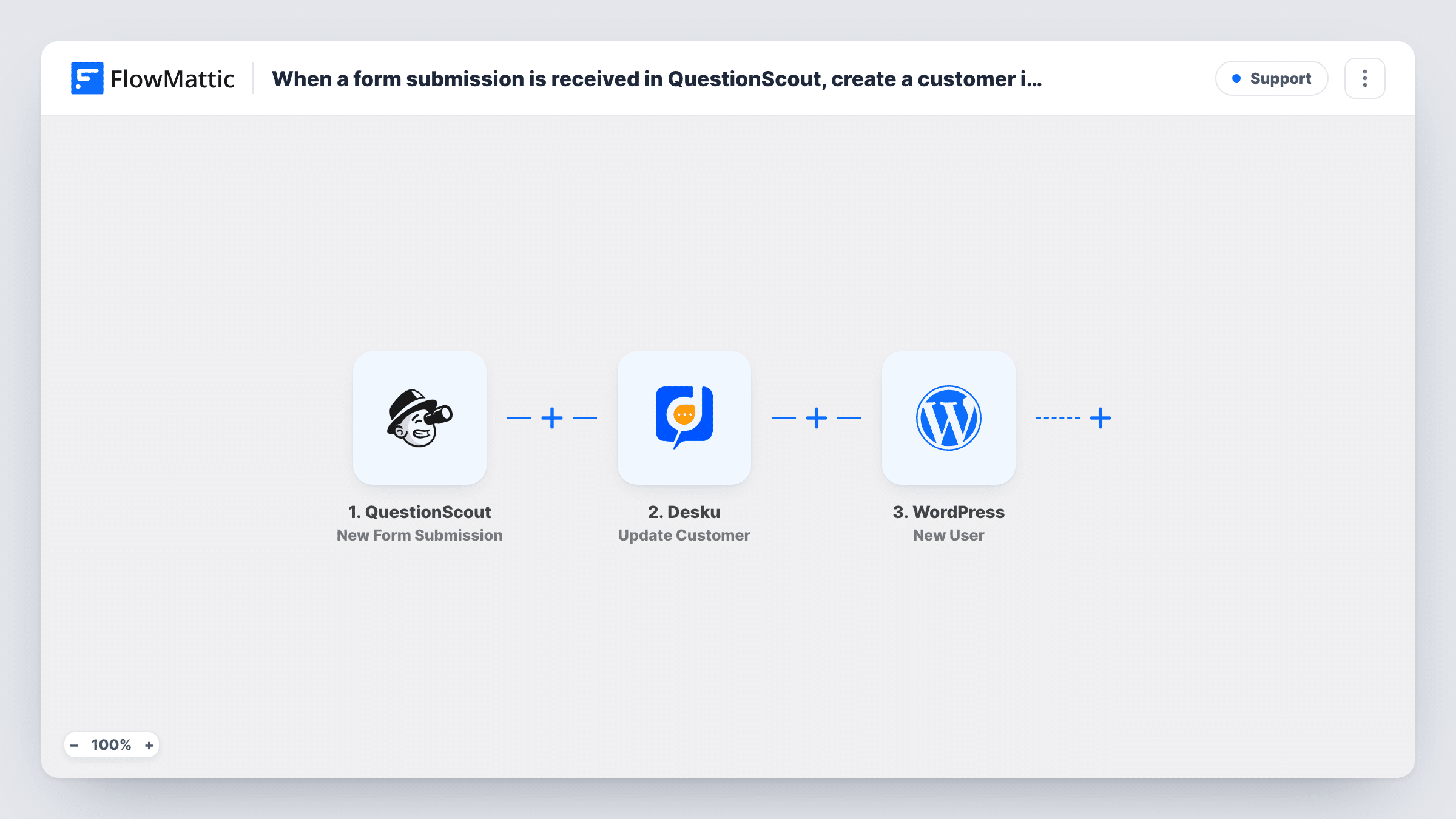
Each new QuestionScout form submission creates a customer in Desku.io and then a WordPress user account, so the person can get support and log in to your site from one sign-up form.
 QuestionScout
 Desku
 WordPress
3 steps Setup ~5 min Used on 2.2k sites Free to import
What this workflow does
Some sign-ups need two things set up straight away: a login for your site and a record your support team can see. When a QuestionScout form handles the sign-up, this workflow creates both, so a new client or member doesn't wait while someone copies their details by hand.
The QuestionScout trigger fires when a new submission is received and passes the answers on. The Desku Create Customer step adds the person to your help desk, using the name and email you map.
Then the WordPress New User step creates an account on your site. Both action steps ship unmapped, so after import you connect Desku and map the form's name and email into the customer, then map the email and name into the new user.
If the email is already registered on your site, WordPress keeps the account it has instead of making another, and Task History shows which user ID the step returned. Every submission runs both steps, so test with a fresh address and check the result in Desku and in your WordPress users list.
Client onboarding for a service business
An agency's QuestionScout onboarding form gives each new client a login to the client area and a Desku customer record for support requests.
Member applications for a community site
A community collects applications in QuestionScout and sets up the member's WordPress account and help desk profile in one go.
Course sign-ups with support access
A training provider signs students up through a form, so they can log in to course pages and reach support with questions.
How this workflow runs
What happens at each step once the workflow is on, and what you need before you import it.
 QuestionScout New Form Submission
Fires when a new submission is received in QuestionScout. The answers, such as the person's name and email, are available to map into Desku and WordPress.
- Desku Create Customer
Adds the person to Desku.io as a customer. The step ships unmapped: connect Desku after import and map the name and email from the QuestionScout answers.
- WordPress New User
Sets up the respondent's WordPress account. Map the email and name from the form. An email that's already registered keeps its single account, and Task History shows the user ID the step returned.
What you need
- FlowMatticCore
- QuestionScout AccountAccount
- Desku.io AccountAccount
After importing, map your own data. To keep the template universal, not every step is pre-filled. Open each step in the builder and connect your accounts and fields (channels, lists, sheets, recipients) before you switch the workflow on.
Make it yours
Changes worth making after you import it.
- Make the email question required in QuestionScout, since both Desku and WordPress need it to set the person up.
- If only some respondents should get an account, put a Filter between the Desku step and the New User step on the answer that decides it. Everyone still becomes a Desku customer. Set the question from your own form.
- Run one test submission after mapping and open the new account under Users in WordPress, so you can confirm the name and email landed where you expect.
Questions about this workflow
What if the QuestionScout respondent already has a WordPress account?
Your site won't make a duplicate for the same email. The New User step reports the existing account's user ID instead, which you can see in Task History.
Does the new WordPress user get a password email?
It varies with how your site and its plugins handle new accounts. Submit the form with your own address to see what WordPress sends.
What if the person is already a customer in Desku?
The workflow still sends Desku the request, and Desku decides how to handle the existing customer. Its reply is logged in Task History for that run.
Can paid QuestionScout submissions be handled differently?
FlowMattic's QuestionScout integration also has a New Successful Payment trigger. Use it in a copy of this workflow if accounts should only be created after payment.
More Support workflows
Other ready-to-import templates from the same category.






Import this workflow into your WordPress site
Download the JSON, import it from the Workflows screen and connect your accounts. Every run stays on your server, with no per-task fees.
30-day money-back guarantee Unlimited workflows and runs Self-hosted