

When a new form submission is received in Gravity Forms, create a new post in WordPress, and add details to Google Spreadsheet
Turn each Gravity Forms entry into a new WordPress post, then log the same submission in a Google Sheets row, so content sent in through a form reaches your site and a spreadsheet record in one run.
 Gravity Forms
 WordPress
 Google Sheets
3 steps Setup ~5 min Used on 1.2k sites Free to import
What this workflow does
Sites that take content from visitors, such as guest articles, event listings or testimonials, usually collect it with a form and then rebuild it as a post by hand. This workflow does that rebuilding for you and keeps a spreadsheet record of every entry at the same time.
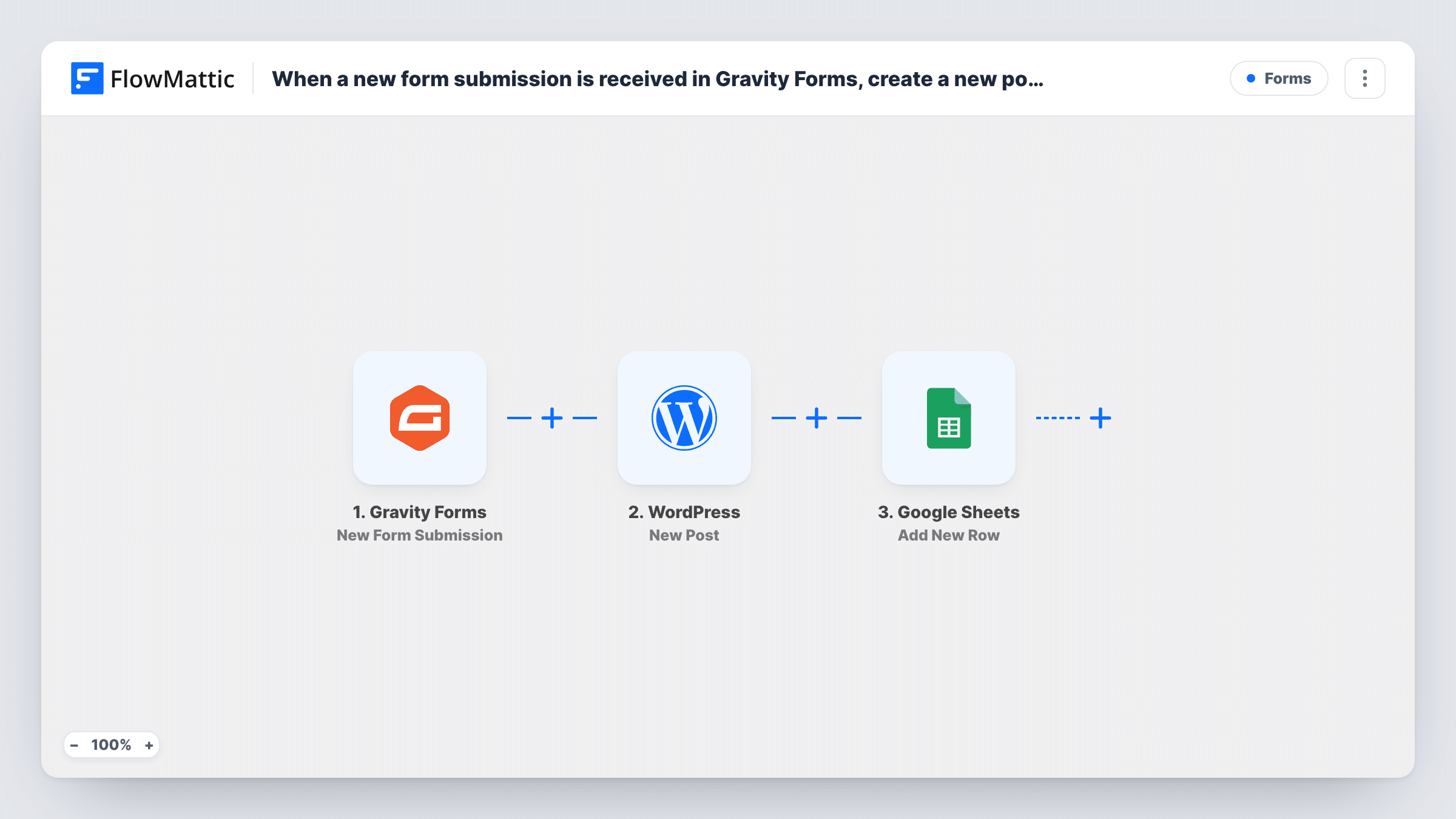
When someone submits a Gravity Forms form, FlowMattic receives the entry's fields. The WordPress step then creates a new post on your site, and you decide which form fields fill the post. Last, the Google Sheets step adds a row to the spreadsheet you pick, holding whichever submission details you map to its columns.
There is no review step in between, so every entry creates a post. If you don't want visitor content to go live straight away, open the WordPress step after import and look for a post status setting; a draft or pending status lets you read each post before you publish it. Task History shows each run and the result of both actions.
Guest post submissions for a blog
Writers send articles through a Gravity Forms form. Each one becomes a WordPress post for an editor to review, and the sheet tracks every submission with the author's name and email.
Community event listings
Local organisers submit event details through a form. The workflow creates a post for each event, and the spreadsheet gives you a list of organisers to contact.
Customer testimonials
Clients leave a testimonial in a Gravity Forms form. It's turned into a post you can show on a testimonials page, and the sheet records who sent what and when.
How this workflow runs
What happens at each step once the workflow is on, and what you need before you import it.
 Gravity Forms New Form Submission
Starts a run whenever a Gravity Forms entry is submitted on your WordPress site. All the entry's fields are passed on for the WordPress and Google Sheets steps to use.
- WordPress New Post
Uses the entry to add a fresh post to your WordPress site. Map form fields into the post, such as a title field and a content field, and review the post settings after a test run.
- Google Sheets Add New Row
Adds a row to the Google Sheets spreadsheet you choose with the submission details you map to its columns. Connect your Google account when you set up this step.
What you need
- FlowMatticCore
- Gravity Forms PluginPlugin
- Google Sheets AccountAccount
After importing, map your own data. To keep the template universal, not every step is pre-filled. Open each step in the builder and connect your accounts and fields (channels, lists, sheets, recipients) before you switch the workflow on.
Make it yours
Changes worth making after you import it.
- Add a Filter after the trigger that continues only when a consent or terms checkbox in the form is ticked, so posts and rows are created only for people who agreed.
- If a test run shows the WordPress step returning the new post's ID or link, map that into a sheet column so each row points to the post it created.
- Using one form for several kinds of content? Add a Router after the trigger with one route per category value, each with its own WordPress step, and end the routes in a Join so the Google Sheets step still runs once per entry.
Questions about this workflow
Will Gravity Forms entries be published on my site right away?
Each entry creates a post with the settings you give the WordPress step. Check those settings after import and pick an unpublished status if you want to review visitor content before it goes live.
Does Gravity Forms still save the entry?
Yes. The workflow starts after the form is submitted and doesn't change how Gravity Forms stores entries or sends its notifications.
What happens if the WordPress post can't be created?
The Google Sheets step still runs, so the submission is logged either way. Task History shows the error on the WordPress step so you can fix the mapping.
Do I need Gravity Forms on the same site as FlowMattic?
Yes. The trigger listens to Gravity Forms on the WordPress site where FlowMattic is installed, and the post is created on that same site.
More Forms workflows
Other ready-to-import templates from the same category.






Import this workflow into your WordPress site
Download the JSON, import it from the Workflows screen and connect your accounts. Every run stays on your server, with no per-task fees.
30-day money-back guarantee Unlimited workflows and runs Self-hosted