

When a new order received in WooCommerce, create an Invoice using the template in Crove and share it on users WhatsApp
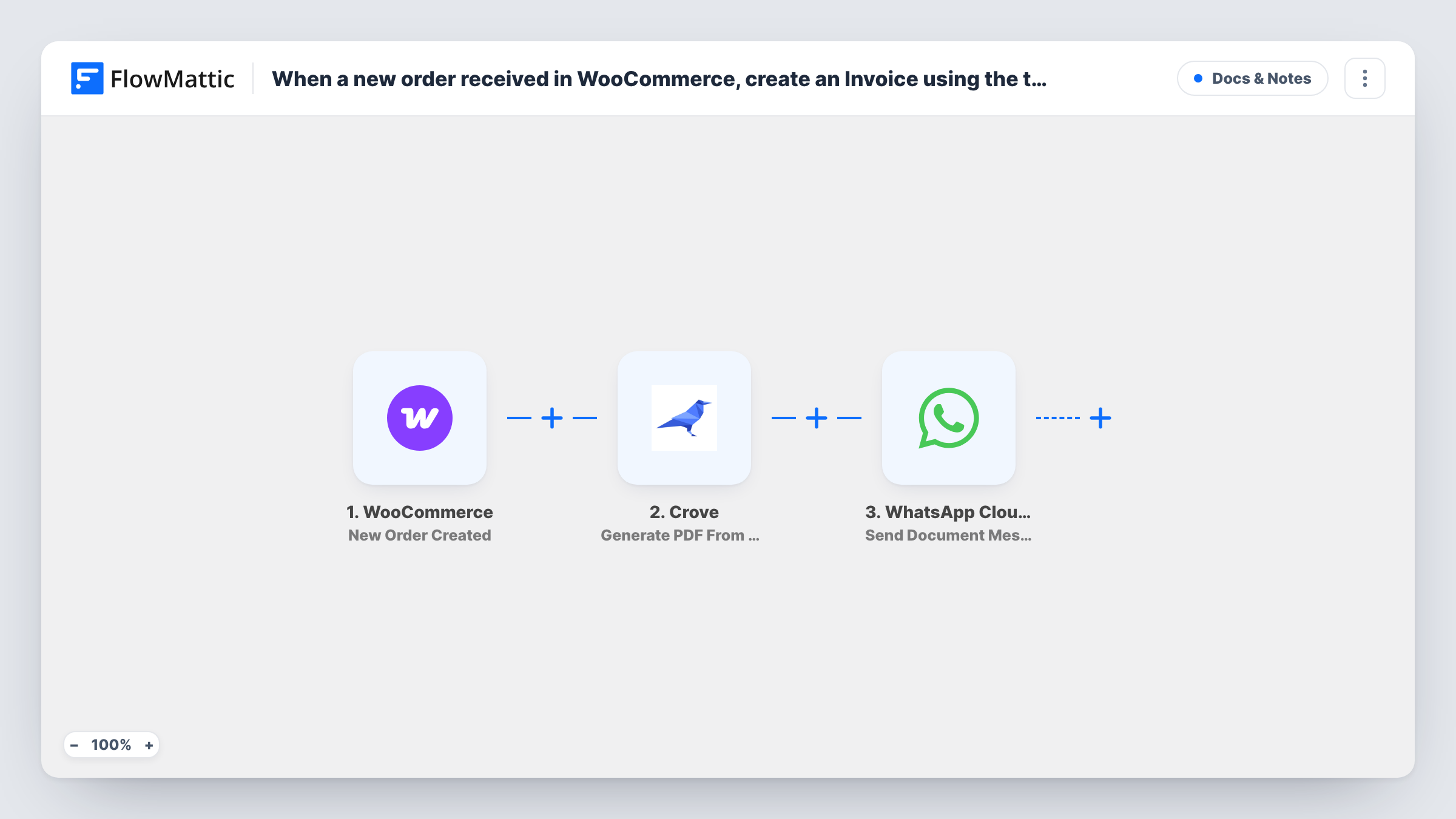
Each new WooCommerce order fills one of your Crove templates and comes back as a PDF invoice, which WhatsApp Cloud API then sends to the buyer’s phone as a document message.
 WooCommerce
 Crove
Crove
 WhatsApp Cloud API
3 steps Setup ~5 min Used on 3.0k sites Free to import
What this workflow does
When buyers reach you on WhatsApp, an invoice sent to that same chat is easier for them to find than one buried in email. This workflow produces the invoice in a single Crove call and delivers it as a file in WhatsApp, so nobody on your team downloads or attaches anything.
A run starts when WooCommerce creates a new order. The order's billing details, line items and totals are handed to Crove, whose Generate PDF From Template step fills a template you designed in Crove and returns a PDF. This differs from a two-step setup: there is no separate document to create first, only the template and the data you map into it.
The final step uses WhatsApp Cloud API to send that PDF as a document message. Both action steps ship unmapped. After import you pick the Crove template and match order fields to it, then map the buyer's billing phone and the PDF that Crove returned into the WhatsApp step.
A document message is not an approved template message, so WhatsApp's 24-hour rule applies: it is delivered only to people who messaged your business number within the last day. Place a test order and read Task History to confirm what Crove and WhatsApp returned.
Invoices for orders taken over WhatsApp chat
A clothing store that answers sizing questions on WhatsApp before checkout sends the invoice PDF back into that conversation once the order is placed.
Paperwork for wholesale buyers
A supplier whose trade customers order through WooCommerce and confirm details on WhatsApp gives each of them an invoice file they can forward to their accounts team.
Receipts for local pickup orders
A farm shop's customers keep the PDF on their phone and show it at the counter when they collect their box.
How this workflow runs
What happens at each step once the workflow is on, and what you need before you import it.
 WooCommerce New Order Created
Each order WooCommerce creates begins a run of this workflow. Billing name, phone, items, totals and the order number become available to map into Crove and WhatsApp.
- Crove Generate PDF From Template
Fills one of your Crove templates with order data and generates a PDF from it in a single step. Nothing is mapped yet: pick your invoice template and match each of its fields to an order field.
- WhatsApp Cloud API Send Document Message
Sends the PDF to the buyer as a WhatsApp document message. Map the order's billing phone as the recipient and the PDF that the Crove step returned; run a test order to find the value that carries the file.
What you need
- FlowMatticCore
- WooCommerce PluginPlugin
- Crove AccountAccount
- WhatsApp Cloud API AccountAccount
After importing, map your own data. To keep the template universal, not every step is pre-filled. Open each step in the builder and connect your accounts and fields (channels, lists, sheets, recipients) before you switch the workflow on.
Make it yours
Changes worth making after you import it.
- Design the invoice in Crove before importing, with a field for each order value you want printed, so mapping takes minutes instead of trial and error.
- Put a Filter between the WooCommerce trigger and the Crove step that checks the order status, so unpaid or failed orders don't get an invoice. Orders the Filter stops never reach WhatsApp either.
- Ask for the phone number with its country code at checkout. WhatsApp needs the full international number to deliver the file.
- If many buyers never message you first, send an approved Send Template Message before or instead of the document, since free-form messages outside the 24-hour window aren't delivered.
Questions about this workflow
Does Crove need a document created before the PDF?
Not in this workflow. Generate PDF From Template takes your Crove template and the order data you map, and returns the PDF in one step.
Will every WooCommerce buyer get the invoice on WhatsApp?
Every new order starts a run, but WhatsApp only delivers a document message to someone who wrote to your business number in the past 24 hours, and the billing phone must be a valid WhatsApp number.
Which order details end up on the Crove invoice?
Only the ones you map. The Crove step ships empty, so you decide which WooCommerce fields fill which places in your template.
Can the Crove invoice go out by email as well as WhatsApp?
Yes. Add an Email or Gmail step after the Crove step, map the billing email as the recipient and put the PDF link from Crove in the message.
More Docs & Notes workflows
Other ready-to-import templates from the same category.




Import this workflow into your WordPress site
Download the JSON, import it from the Workflows screen and connect your accounts. Every run stays on your server, with no per-task fees.
30-day money-back guarantee Unlimited workflows and runs Self-hosted