

When a user enrolls in a live class in BrainCert, create a Google Calendar event and send SMS reminder via Twilio
When a user enrolls in a BrainCert live class, this workflow adds an event to Google Calendar and then texts a phone number through Twilio. The SMS is sent at enrollment, not just before the class.
 BrainCert
 Google Calendar
 Twilio
3 steps Setup ~5 min Used on 2.9k sites Free to import
What this workflow does
Live classes only work if people turn up. Getting the session onto a calendar and sending a text with the details are two simple ways to keep it in front of everyone involved. This workflow does both each time someone enrolls in a BrainCert live class.
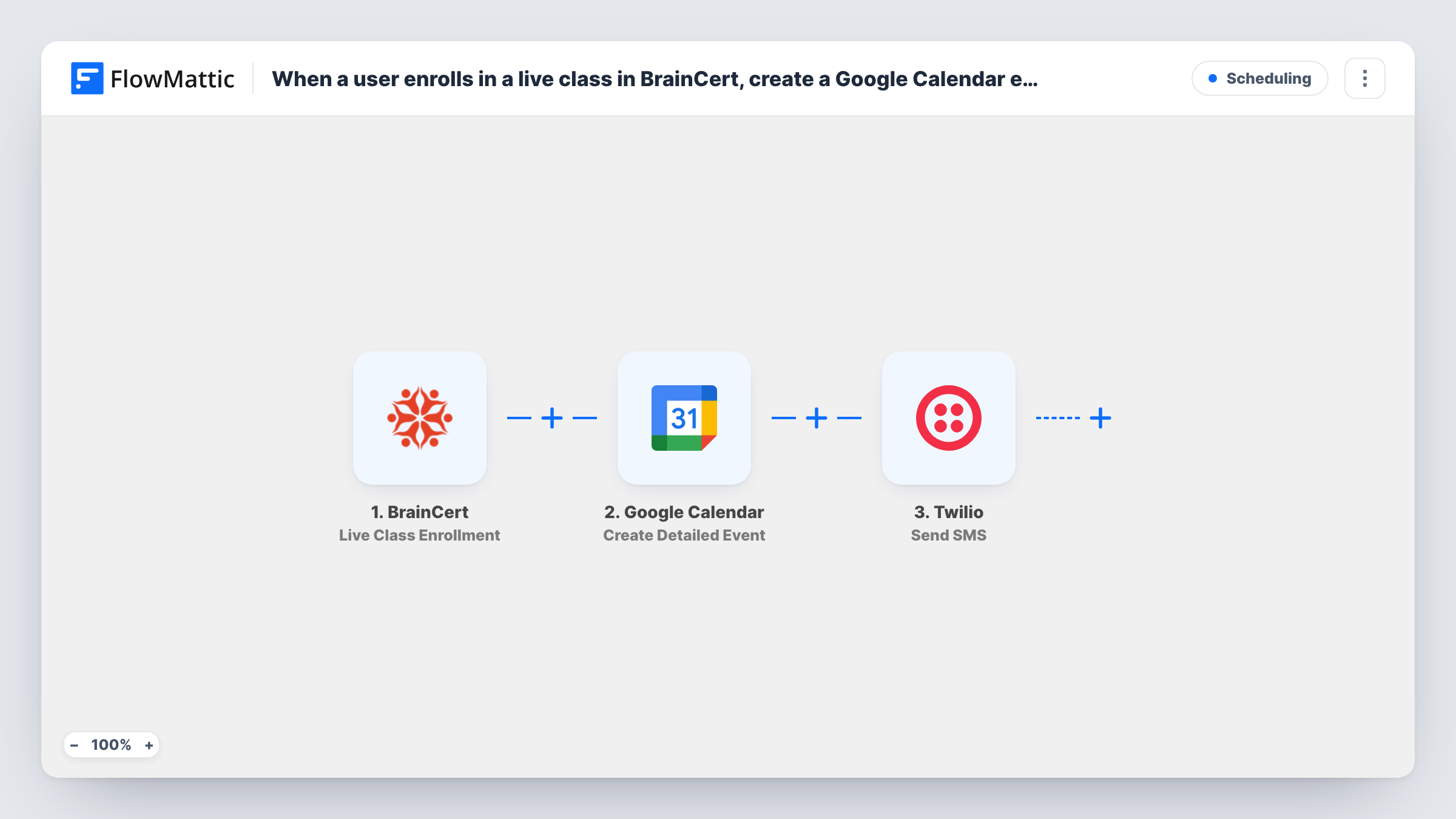
The BrainCert trigger, Live Class Enrollment, fires when a user enrolls in a live class and passes on the enrollment data. FlowMattic then runs Google Calendar Create Detailed Event in the account you connect, using the class details you map for the title, time and description. Last, Twilio Send SMS texts the number you map, with a message you write.
Two points to check before you turn it on. The text goes out right after enrollment, so it works as a confirmation carrying the class time rather than a same-day nudge; add a Delay Until step if you want it later. And the SMS needs a phone number: confirm with a test enrollment that BrainCert sends one, or text a fixed number such as the instructor's. You can follow every step of each run in Task History.
Instructor calendar of enrollments
A tutor runs several BrainCert live classes a week. Each enrollment adds an event to the tutor's Google Calendar, so the day's sessions and attendees are in one view.
Text confirmation for learners
If BrainCert passes the learner's phone, they receive a Twilio text after enrolling with the class name and start time you mapped into the message.
Alerting the instructor by SMS
Point the Twilio step at the instructor's mobile instead. Each enrollment then sends them a short text naming the learner and the class.
How this workflow runs
What happens at each step once the workflow is on, and what you need before you import it.
 BrainCert Live Class Enrollment
Fires when a user enrolls in a live class in BrainCert. The enrollment details are passed on for the calendar event and the text message.
- Google Calendar Create Detailed Event
Creates an event in the Google Calendar you connect. Map the class name and start time from the enrollment into the event, and check a test run to confirm the times come through as expected.
- Twilio Send SMS
Sends an SMS from your Twilio number to the phone number you map, with a message that can include the class name and time. It runs straight after the calendar step.
What you need
- FlowMatticCore
- BrainCert AccountAccount
- Google Calendar AccountAccount
- Twilio AccountAccount
After importing, map your own data. To keep the template universal, not every step is pre-filled. Open each step in the builder and connect your accounts and fields (channels, lists, sheets, recipients) before you switch the workflow on.
Make it yours
Changes worth making after you import it.
- To text people closer to class time, add a Delay Until step before Twilio and set it to the date and time you want the message to go out.
- Enroll a test user after import and look at the BrainCert sample in FlowMattic. Check that it carries the class start time and a phone number before mapping the next two steps.
- Use Twilio's international format for every number. If BrainCert does not send a phone, map the instructor's fixed number so the SMS still has a recipient.
Questions about this workflow
Is the Twilio SMS a reminder sent before the BrainCert class?
Not as imported. It goes out right after enrollment. Add a Delay Until step before the Twilio step if you want it sent nearer the class start.
Whose Google Calendar gets the event?
The calendar in the Google account you connect to the step, usually the instructor's or a shared class calendar. Learners only see it if you invite them or share the calendar.
Does every BrainCert live class enrollment create a new calendar event?
Yes. Each enrollment is its own run, so a class with ten enrollments creates ten events. Use one event per class instead by changing the trigger to Live Class Created.
What does the Twilio step need to text BrainCert learners?
A Twilio account with a phone number that can send SMS, connected to FlowMattic on import, plus a recipient number in international format. Each text is sent from your Twilio number.
More Scheduling workflows
Other ready-to-import templates from the same category.







Import this workflow into your WordPress site
Download the JSON, import it from the Workflows screen and connect your accounts. Every run stays on your server, with no per-task fees.
30-day money-back guarantee Unlimited workflows and runs Self-hosted