

When a new user registers in WordPress, create a Zoho Cliq channel and add participants
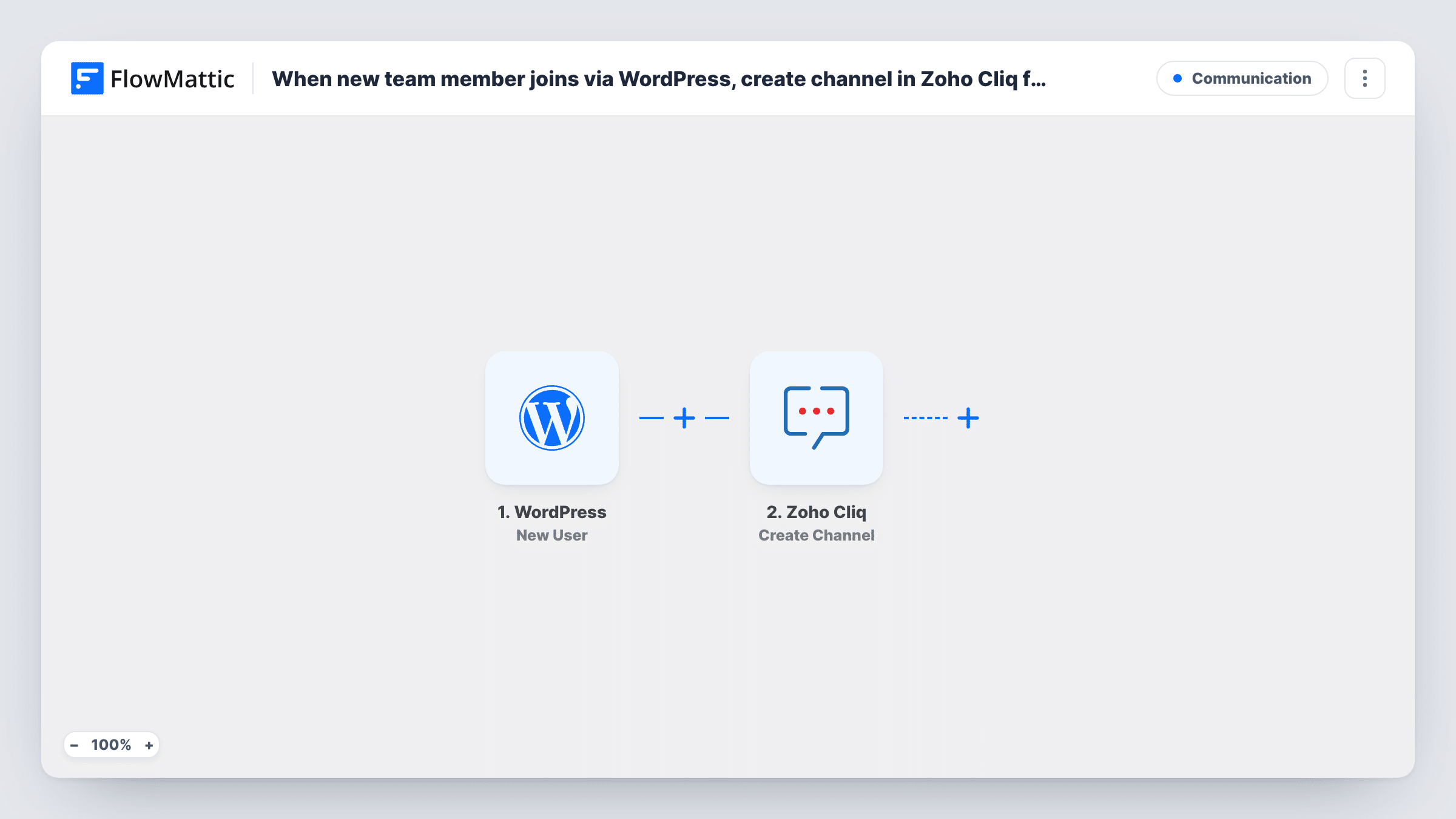
Each new WordPress user account starts a workflow that creates a Zoho Cliq channel and adds the Cliq users you choose to it, giving your team a ready-made space for that member, client or student.
 WordPress
 Zoho Cliq
3 steps Setup ~5 min Used on 2.3k sites Free to import
What this workflow does
Some teams open a dedicated chat space for every new client, member or student so the conversation about them stays in one place. If those people arrive as WordPress accounts, this workflow sets up the space in Zoho Cliq for you.
The WordPress New User trigger fires whenever a user account is registered on your site. That covers front-end sign-ups, accounts an admin adds in the dashboard and accounts created by a plugin or an import. The user's details, such as the username, email and name, are passed on.
The first Zoho Cliq step creates a new team, private or organization channel. The second adds users to that channel by their Cliq user ID. Both ship unmapped: after import you name the channel, ideally with the new user's name in it, and map the channel created in step 2 into step 3 along with the Cliq user IDs of the people who should join, such as an account manager.
The new WordPress user is not added automatically, because Cliq adds people by Cliq user ID and a WordPress account doesn't have one. Every new account creates a channel, so think about a Filter on the role before going live.
A channel per new client
An agency creates client accounts in WordPress. Each new account opens a private Cliq channel with the account manager and designer already in it.
Coaching programs
A coaching site gives each new student account its own Cliq channel where the coach and an assistant discuss progress and notes.
Partner onboarding
A company that registers resellers on its WordPress portal opens a Cliq channel for each one, with the partner team added to handle setup.
How this workflow runs
What happens at each step once the workflow is on, and what you need before you import it.
 WordPress New User
Fires whenever a new user account is registered on your WordPress site, however it was created. The user's details are passed on to name the Cliq channel.
- Zoho Cliq Create Channel
Creates a Zoho Cliq channel, which can be a team, private or organization channel. The step ships unmapped: set the channel name, for example from the user's name, and its type.
- Zoho Cliq Add Participants to Channel
Adds users to a channel by their Cliq user ID. After import, map the channel from step 2 and enter the Cliq user IDs of the team members who should join it.
What you need
- FlowMatticCore
- Zoho Cliq AccountAccount
After importing, map your own data. To keep the template universal, not every step is pre-filled. Open each step in the builder and connect your accounts and fields (channels, lists, sheets, recipients) before you switch the workflow on.
Make it yours
Changes worth making after you import it.
- Put a Filter between the New User trigger and the Create Channel step that continues only for the role you want, such as customer, so staff accounts and test users don't get channels.
- Zoho Cliq's List Users action lists your organization's users; run it once in a test workflow to find your team members' Cliq user IDs, then enter them in the Add Participants step.
- Include the user's email or username in the channel name, so your team can find the right channel for each account.
Questions about this workflow
Is the new WordPress user added to the Zoho Cliq channel?
Not as imported. Add Participants to Channel works with Cliq user IDs, and a new WordPress account has none. The channel holds the team members whose Cliq IDs you enter.
Do accounts I create in the WordPress dashboard get a channel too?
Yes. The trigger fires for every new account, including ones an admin adds or a plugin imports. Add a Filter on the role between the trigger and the Create Channel step to limit it.
Can I post a welcome message in the new channel?
Yes. Add Zoho Cliq's Send Channel Message action after the Add Participants step. It sends to a channel by its unique name, so map the name of the channel created in step 2.
More Communication workflows
Other ready-to-import templates from the same category.




Import this workflow into your WordPress site
Download the JSON, import it from the Workflows screen and connect your accounts. Every run stays on your server, with no per-task fees.
30-day money-back guarantee Unlimited workflows and runs Self-hosted