

When tag removed from user in WP Fusion, Delete the user account in WordPress
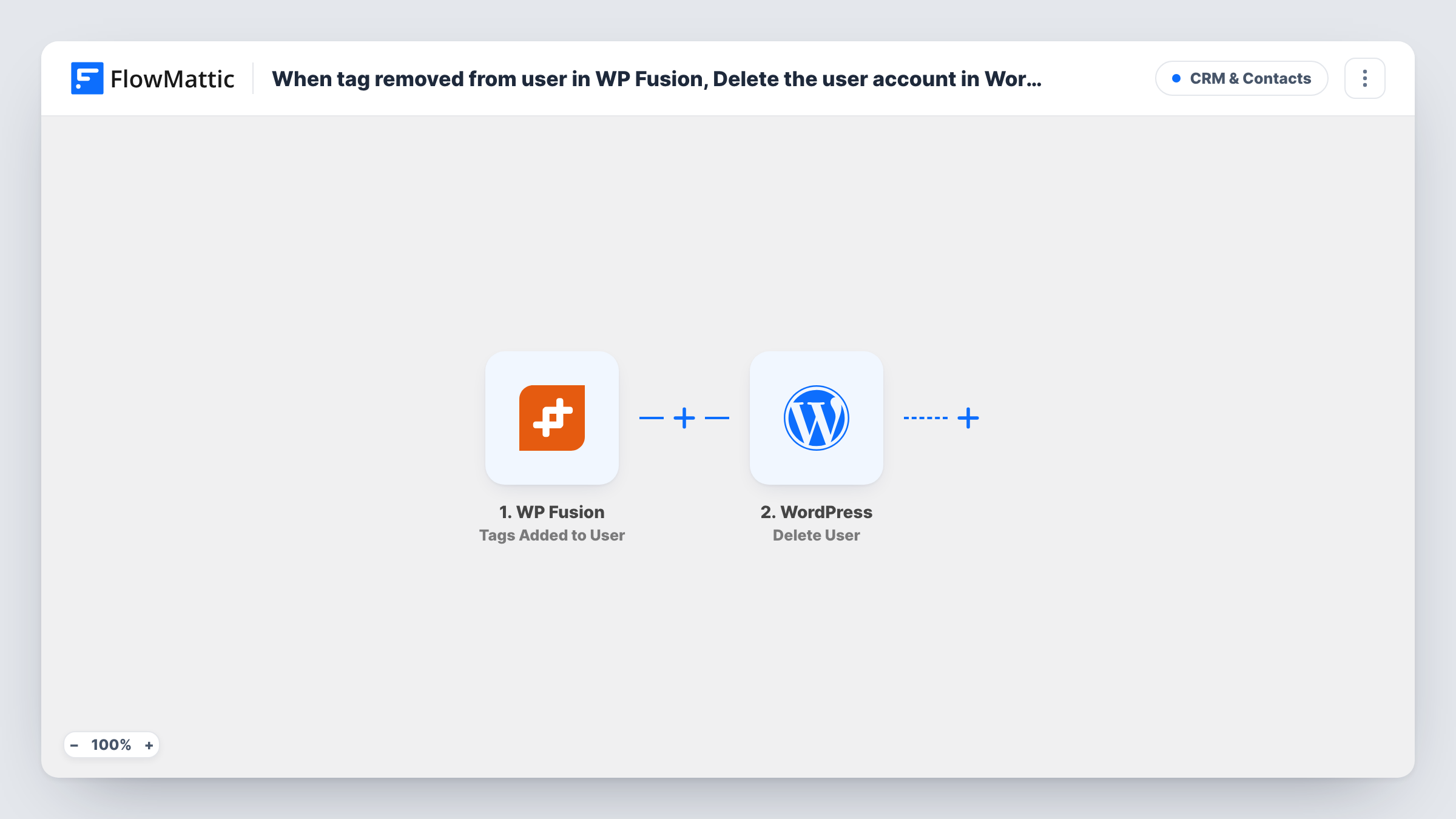
When WP Fusion removes tags from a WordPress user, FlowMattic deletes that user’s account on your site. Any tag removal counts, so add a Filter between the two steps for the one tag that should.
 WP Fusion
 WordPress
2 steps Setup ~5 min Used on 2.9k sites Free to import
What this workflow does
WP Fusion keeps WordPress users in step with the tags in your CRM. If your offboarding happens in the CRM, for example a tag that marks an active client or a paid member being taken away, this workflow lets that change remove the person's WordPress account too, so you don't have to delete it by hand.
The WP Fusion trigger fires whenever tags are removed from a user, and passes on that user and the tags involved. As imported it fires for the removal of any tag, so read the next paragraph before you turn it on.
The WordPress step runs Delete User. It ships unmapped, so after import you map the user ID from the WP Fusion trigger into it. There is also an optional reassign user ID. If you leave it empty, WordPress deletes the person's posts and other content along with the account, so set it to an editor or admin account if that content should be kept.
Deleting an account can't be undone from FlowMattic. Put a Filter between the WP Fusion trigger and the Delete User step that continues only when the removed tag is the one that means the person has left, and test with a dummy user. Task History shows which user ID each run sent to WordPress.
Ending access when a client contract ends
An agency removes the Active Client tag in its CRM when a contract closes, and the client's login to the WordPress portal is deleted with it.
Clearing out cancelled members
A membership site whose billing system strips the Member tag on cancellation has those accounts removed from WordPress instead of piling up.
Removing trial accounts from a CRM rule
A software company's CRM automation removes the Trial tag from people who never converted, and FlowMattic deletes their trial accounts on the site.
How this workflow runs
What happens at each step once the workflow is on, and what you need before you import it.
 WP Fusion Tags Removed From User
Fires each time WP Fusion removes tags from a WordPress user, for any tag. The user and the removed tags are passed on, so you can check which tag it was before anything is deleted.
- WordPress Delete User
Deletes the user's account from your WordPress site. Map the user ID from the WP Fusion trigger after import, and set the reassign user ID if the person's posts should be kept rather than deleted.
What you need
- FlowMatticCore
- WP Fusion PluginPlugin
After importing, map your own data. To keep the template universal, not every step is pre-filled. Open each step in the builder and connect your accounts and fields (channels, lists, sheets, recipients) before you switch the workflow on.
Make it yours
Changes worth making after you import it.
- Put a Filter between the WP Fusion trigger and the Delete User step that checks the removed tags for the one exact tag that means offboarding. Without it, removing any tag deletes the account.
- Set the reassign user ID in the Delete User step to a staff account, so posts, products or course content the person created are kept.
- In the same Filter between the trigger and Delete User, add a condition that stops runs for administrator accounts, so a tag change can never remove your own team.
Questions about this workflow
Does removing any WP Fusion tag delete the WordPress user?
Yes, as imported. The trigger fires on every tag removal and nothing checks which tag it was. Add a Filter between the trigger and the Delete User step for the tag that should lead to deletion.
What happens to the deleted user's posts and content?
That depends on the reassign user ID in the Delete User step. Left empty, WordPress deletes the user's content along with the account. Enter another user's ID to move that content to them instead.
Can I restore an account this workflow deleted?
Not from FlowMattic. Once WordPress deletes a user the account is gone, so keep site backups and test the Filter with a dummy user before you turn the workflow on.
Is the person removed from my CRM too?
No. The workflow only deletes the WordPress account. The contact and its remaining tags stay in the CRM that WP Fusion connects to.
More CRM & Contacts workflows
Other ready-to-import templates from the same category.







Import this workflow into your WordPress site
Download the JSON, import it from the Workflows screen and connect your accounts. Every run stays on your server, with no per-task fees.
30-day money-back guarantee Unlimited workflows and runs Self-hosted