

When user added to team in Zoho WorkDrive, create onboarding checklist in ClickUp and send welcome via Email SMTP
When a user is added to your Zoho WorkDrive team, this workflow creates an onboarding checklist in ClickUp and then sends a welcome email through FlowMattic’s Email module, so a new teammate’s first steps start on their own.
 Zoho WorkDrive
 ClickUp
 Email
Email3 steps Setup ~5 min Used on 2.7k sites Productivity Free to import
What this workflow does
Adding someone to your Zoho WorkDrive team is often the first sign they've joined. After that come the onboarding tasks and the hello email, which are easy to put off when you're busy. This workflow starts both as soon as the person is added.
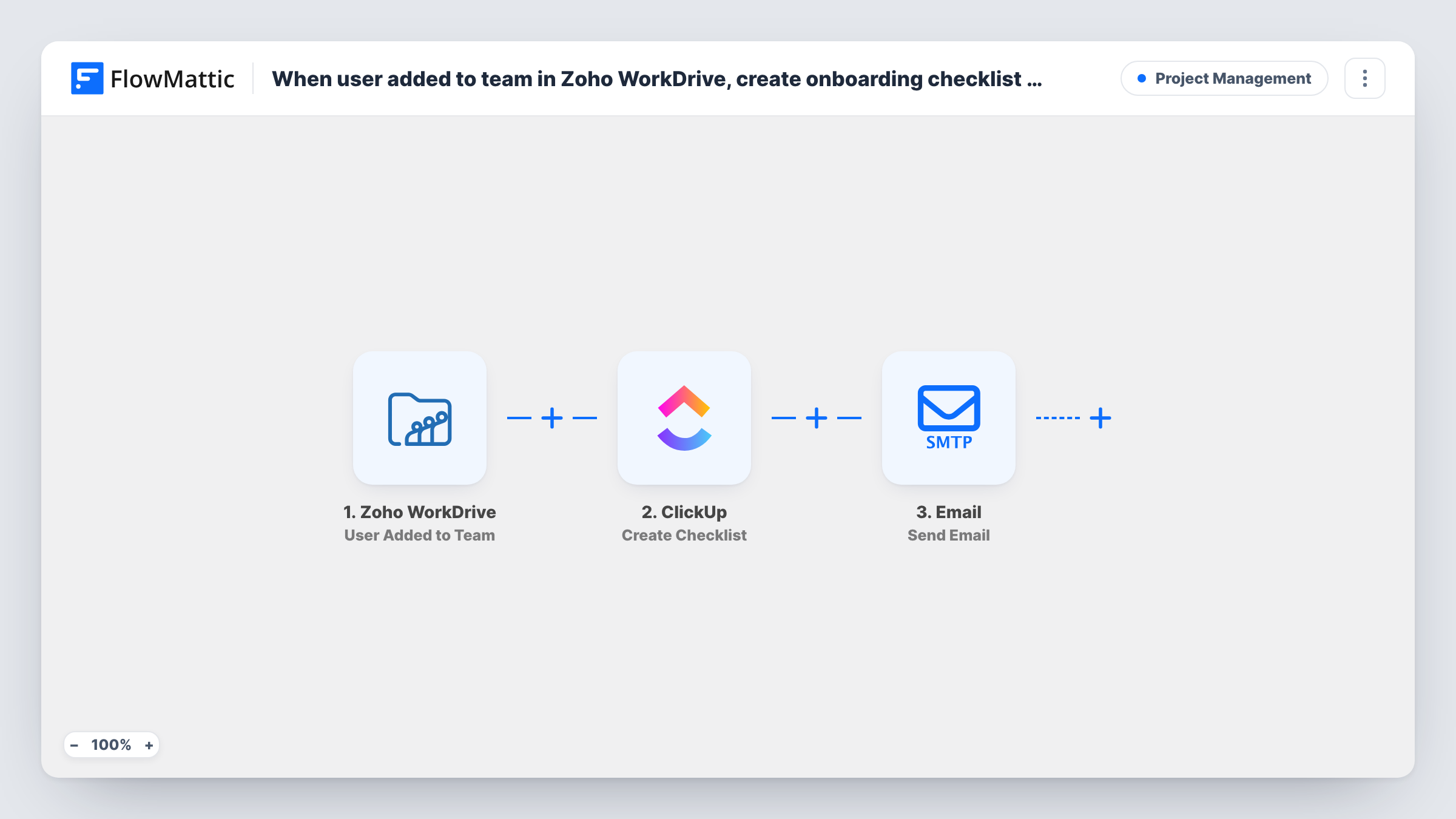
The Zoho WorkDrive trigger fires when a user is added to the WorkDrive team. FlowMattic then uses ClickUp to create a new checklist; ClickUp checklists live inside a task, so you point the step at the task where onboarding is tracked and can name the checklist after the new person. Last, the Email step sends a welcome message, through WordPress mail or your own SMTP server, to the address you map.
The checklist is created empty. Add ClickUp's Create Checklist Item step if you want items filled in automatically. Every user added to the team starts one run, and Task History records what was created and sent each time.
New hire onboarding
HR adds a hire to WorkDrive, and the onboarding task in ClickUp gets a checklist named for them, while they receive a welcome email with first-day details.
Contractors joining a project
When a freelancer is given WorkDrive access, the project manager's ClickUp task gains a checklist for that person and the freelancer gets an email on how you work.
Agency client teams
Each time a client contact joins your shared WorkDrive team, your account manager has a checklist to work through and the contact gets a welcome note.
How this workflow runs
What happens at each step once the workflow is on, and what you need before you import it.
 Zoho WorkDrive User Added to Team
Fires when a user is added to your Zoho WorkDrive team. The details WorkDrive sends about the new user are passed to the ClickUp and Email steps.
- ClickUp Create Checklist
Creates a new checklist in ClickUp on the task you point it to. Map the new user's name into the checklist name so each person's list is easy to find, and connect ClickUp on import.
 Email Send Email
Sends a welcome email using WordPress mail or your SMTP settings. Map the new user's email address from the trigger as the recipient and write the subject and message.
What you need
- FlowMatticCore
- Zoho WorkDrive AccountAccount
- ClickUp AccountAccount
After importing, map your own data. To keep the template universal, not every step is pre-filled. Open each step in the builder and connect your accounts and fields (channels, lists, sheets, recipients) before you switch the workflow on.
Make it yours
Changes worth making after you import it.
- Add ClickUp's Create Checklist Item step after the checklist step, once per item, so every new person's checklist comes with the same onboarding items.
- Want a task per person? Add ClickUp's Create Task step before the checklist and put the checklist on that new task instead of a shared one.
- Add a test user to the WorkDrive team after import and confirm the trigger carries an email address before relying on the welcome email.
Questions about this workflow
Does the ClickUp checklist come with onboarding items?
Not as imported. Create Checklist only makes the checklist. Add Create Checklist Item steps after it to fill in the items you want.
Which address does the welcome email go to?
The one you map in the Email step, normally the new user's email from the WorkDrive event. Run a test to confirm the event includes it.
Do I need an SMTP service for the welcome email?
No. The Email step can use the built-in WordPress mail function or a custom SMTP server, whichever you set up in FlowMattic.
Does removing a user from Zoho WorkDrive undo anything?
No. The workflow only reacts to users being added. The checklist and email stay as they are if someone later leaves the team.
More Project Management workflows
Other ready-to-import templates from the same category.



Import this workflow into your WordPress site
Download the JSON, import it from the Workflows screen and connect your accounts. Every run stays on your server, with no per-task fees.
30-day money-back guarantee Unlimited workflows and runs Self-hosted