

When user completes checkout in WooCommerce, create and share Telegram Invite link to his WhatsApp
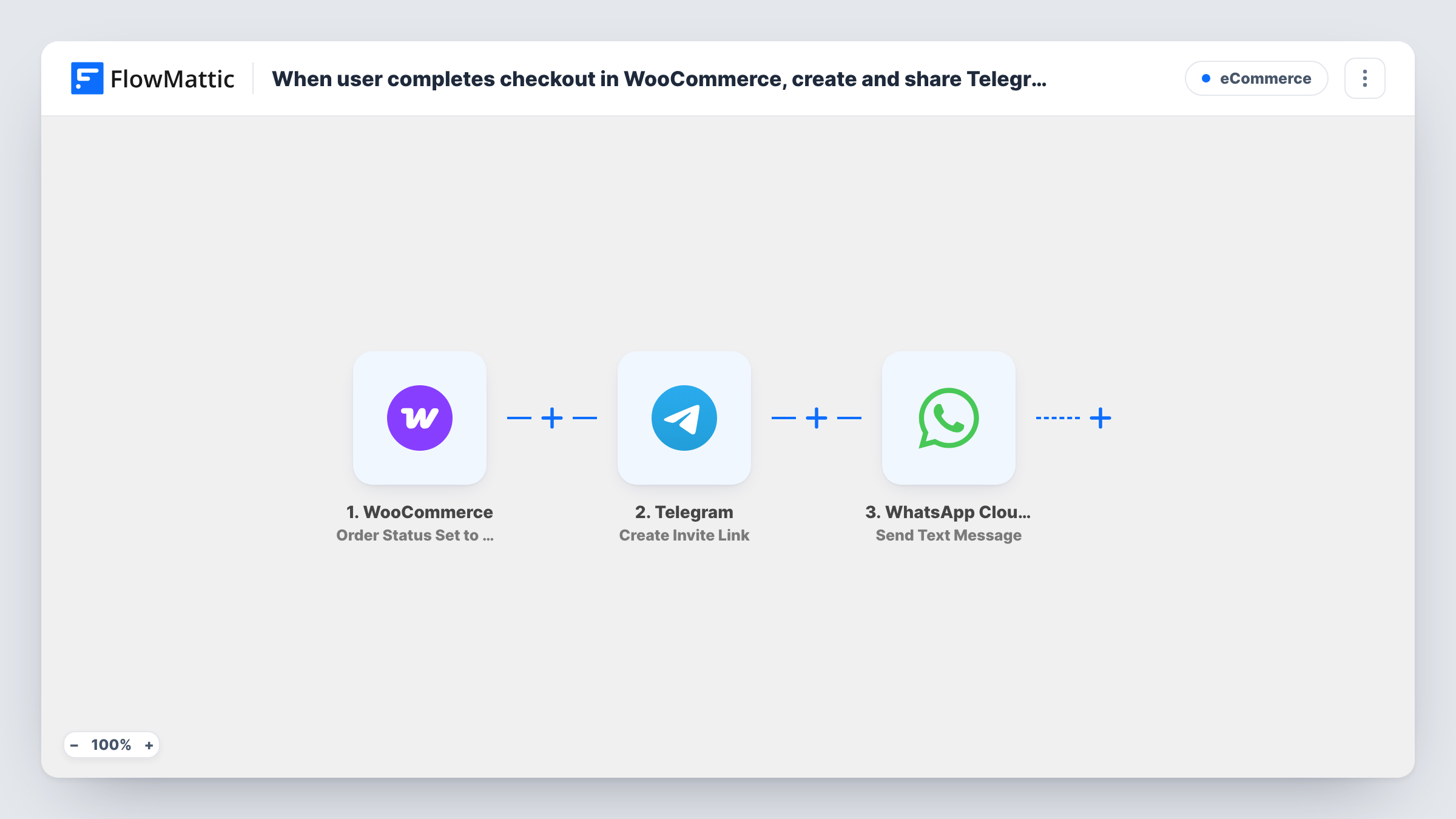
When a WooCommerce order is set to Completed, this workflow creates a Telegram invite link for your group or channel and sends it to the buyer as a WhatsApp text through the WhatsApp Cloud API.
 WooCommerce
 Telegram
 WhatsApp Cloud API
3 steps Setup ~5 min Used on 3.3k sites Free to import
What this workflow does
If you sell access to a private Telegram group, such as a course community or a paid signals channel, every buyer needs an invite. Sending each one by hand is slow, and a public link can be passed around. This workflow creates a link for each completed order and sends it to the buyer on WhatsApp.
The WooCommerce trigger fires when an order status is set to Completed. That is not the moment of checkout: it happens when you, or WooCommerce, mark the order complete. FlowMattic then asks Telegram to create an invite link for the chat you choose. The new link and the order details go to the WhatsApp Cloud API step, which sends a text to the phone number you map, usually the billing phone.
Two limits matter. WhatsApp delivers free-form text only if the buyer messaged your business number in the last 24 hours, so most new buyers won't get this text as imported. Switch the last step to an approved template message for them. Also, your Telegram bot usually needs admin rights in the group to create invite links.
Paid community access
A creator sells a membership product in WooCommerce. Once the order is completed, the buyer receives a Telegram invite for the members-only group.
Course cohorts with a Telegram chat
Each student who buys a cohort seat gets an invite to that cohort's Telegram group, so the instructor never has to share the link by hand.
Customer support group for premium buyers
Buyers of a premium plan are invited to a Telegram group where your team answers their questions directly.
How this workflow runs
What happens at each step once the workflow is on, and what you need before you import it.
 WooCommerce Order Status Set to Completed
Fires when a WooCommerce order's status is set to Completed on your site. The order details, including the billing phone, are passed to the next steps.
- Telegram Create Invite Link
Creates an invite link for the Telegram group or channel you choose, using your connected bot. The new link is passed on so it can go into the WhatsApp message.
- WhatsApp Cloud API Send Text Message
Sends a free-form WhatsApp text containing the invite link to the number you map. It only arrives if the buyer messaged your business number in the past 24 hours.
What you need
- FlowMatticCore
- WooCommerce PluginPlugin
- Telegram AccountAccount
- WhatsApp Cloud API AccountAccount
After importing, map your own data. To keep the template universal, not every step is pre-filled. Open each step in the builder and connect your accounts and fields (channels, lists, sheets, recipients) before you switch the workflow on.
Make it yours
Changes worth making after you import it.
- Replace the last step with the WhatsApp Cloud API Send Template Message action, using an approved template that includes the link, so buyers who never messaged you still receive it.
- If you sell other products too, add a Filter after the trigger so only orders for your community product create an invite.
- Customers type phone numbers in many formats. Check a test order in Task History and make sure the number reaches WhatsApp in international format.
Questions about this workflow
Does the Telegram invite go out right after WooCommerce checkout?
Not necessarily. The trigger fires when the order status becomes Completed. If your orders sit in Processing until you complete them, the invite is sent at that point.
Will a new WooCommerce buyer receive the WhatsApp text?
Usually not as imported. WhatsApp free-form text needs the person to have messaged your business number within 24 hours. Use an approved template message instead for new buyers.
What does my Telegram bot need for this?
The bot you connect must be able to create invite links for the chat, which normally means adding it to the group or channel as an admin. Run a test order to confirm the link is created.
Does every completed order create a new invite link?
Yes. Each run of the workflow asks Telegram for a link. Add a Filter if only certain products should get one.
More E-Commerce workflows
Other ready-to-import templates from the same category.




Import this workflow into your WordPress site
Download the JSON, import it from the Workflows screen and connect your accounts. Every run stays on your server, with no per-task fees.
30-day money-back guarantee Unlimited workflows and runs Self-hosted