

Add new WordPress users to FluentCRM and send a welcome email
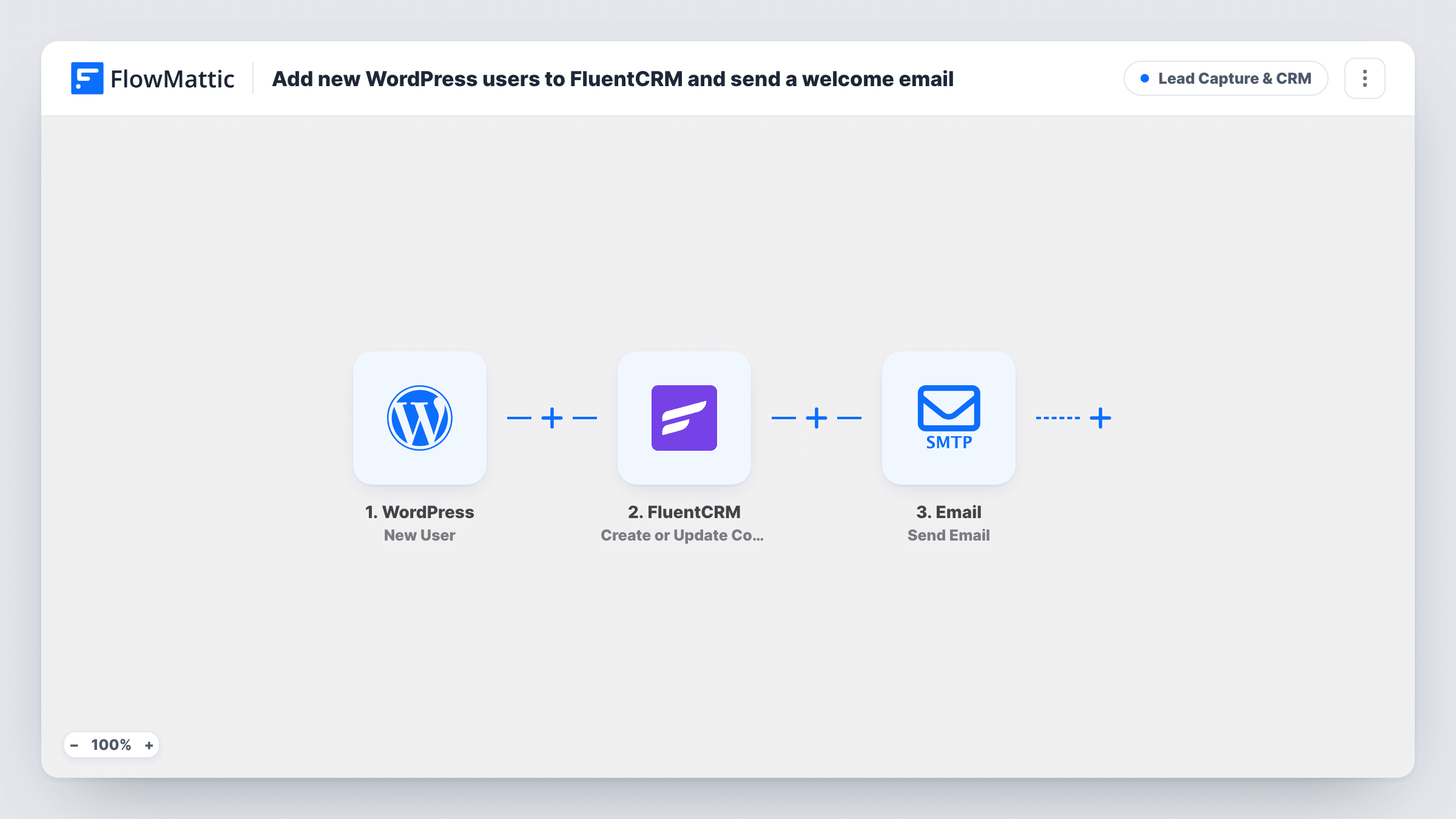
Every new WordPress user is created or updated as a FluentCRM contact with their email and name, then gets a welcome email saying their account is ready and how to get started.
 WordPress
 FluentCRM
 Email
Email3 steps Setup ~5 min Used on 965 sites Growth Free to import
What this workflow does
People who register on your site are often your most engaged visitors, yet WordPress keeps them in the users list, separate from your email marketing. This workflow adds each new user to FluentCRM as they register and sends them a welcome of your own.
The WordPress trigger fires when a new user is created on your site. FlowMattic passes the user's email, first name and last name to FluentCRM, which creates a contact, or updates the contact if that email is already there. Then the Email step sends a welcome to the user's address, telling them their account is ready.
Both FluentCRM and the trigger run inside WordPress, so the contact never leaves your site. The welcome goes out through the SMTP account connected to FlowMattic and is separate from any account email WordPress sends itself. Users created before you turned the workflow on aren't added.
Membership site registrations
Members register for a free account. They join FluentCRM for your member newsletters, and the welcome email points them to the first thing to do.
Community or forum sign-ups
New forum users get a welcome that explains the house rules, and FluentCRM lets you email them later about events or new categories.
Customers who create an account
If your shop or booking plugin creates a WordPress user at checkout, each one also becomes a FluentCRM contact you can follow up with.
How this workflow runs
What happens at each step once the workflow is on, and what you need before you import it.
 WordPress New User
Fires whenever a new user account is created on your WordPress site. The user's email, first name and last name are passed on.
- FluentCRM Create or Update Contact
Adds the new user to FluentCRM as a contact with their email, first name and last name. If a contact with that email exists, it is updated rather than duplicated.
 Email Send Email
Emails the new user a welcome with their first name in the subject, saying their account is ready. Rewrite the body with your own getting-started steps.
What you need
- FlowMatticCore
- FluentCRM PluginPlugin
After importing, map your own data. To keep the template universal, not every step is pre-filled. Open each step in the builder and connect your accounts and fields (channels, lists, sheets, recipients) before you switch the workflow on.
Make it yours
Changes worth making after you import it.
- WordPress's default registration form asks only for a username and email, so first name can be blank. Write the subject so it still reads well without a name, or collect names on your registration form.
- Add a Filter after the trigger if only some sign-ups should reach FluentCRM, for example to leave out staff accounts. Create a test user first to see which user details the trigger returns.
- Add a Delay before the welcome email so it arrives after WordPress's own account email, rather than both landing in the same minute.
Questions about this workflow
Does this replace the WordPress new user email?
No. WordPress still sends its own account emails as normal. This workflow adds a separate welcome that you write, sent through your FlowMattic SMTP connection.
What if the new WordPress user is already a FluentCRM contact?
The step is Create or Update Contact, so the existing contact is updated with the user's details instead of being added twice.
Does it run for users I add from the WordPress admin?
The trigger fires on new users. Add a test user from the admin and check Task History to confirm users created that way start a run on your site.
More Lead Capture & CRM workflows
Other ready-to-import templates from the same category.






Import this workflow into your WordPress site
Download the JSON, import it from the Workflows screen and connect your accounts. Every run stays on your server, with no per-task fees.
30-day money-back guarantee Unlimited workflows and runs Self-hosted