

Turn WPForms submissions into FluentCRM contacts and send a welcome email
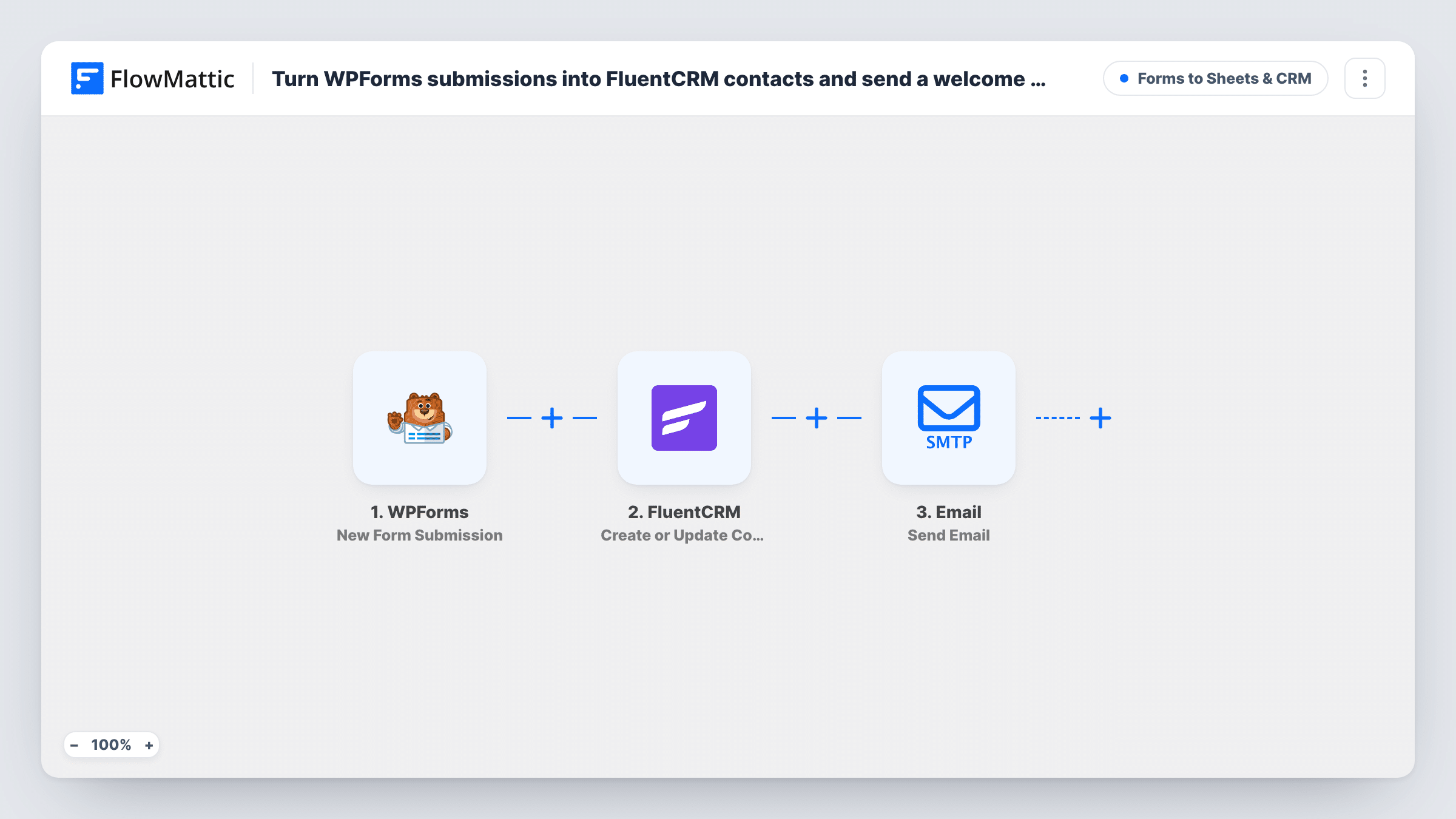
This workflow adds each WPForms submitter to FluentCRM as a contact, or updates them if they are already there, and emails them a thank-you saying their message arrived and you will reply soon.
 WPForms
 FluentCRM
 Email
3 steps Setup ~5 min Used on 1.8k sites Lead Capture Free to import
What this workflow does
People who fill in a contact form want to know it worked, and you want them in your email list for later. WPForms on its own does neither in FluentCRM. This workflow covers both with two steps after each submission.
A new WPForms entry starts the run. FlowMattic sends the email and name answers to FluentCRM, which creates a contact or updates the existing one with that email. The name goes to first name and last name is left blank. The Email step then writes to the same address with a subject thanking them by name for reaching out, and a short body saying you have their message and will reply shortly, signed by The Team.
Both plugins sit on your WordPress site, so the contact never leaves it. Change the email signature and wording before you go live. The email goes out on every submission, including from people who are already contacts.
Service business contact page
Prospects using your WPForms contact page get a quick note that their enquiry arrived, and their details are saved in FluentCRM for future offers.
Support request form for a small shop
Customers who ask a question through WPForms receive an acknowledgement email straight away while you look into their request.
Volunteer or membership enquiries
People asking to join get a thank-you email and a FluentCRM contact record you can later add to the right list.
How this workflow runs
What happens at each step once the workflow is on, and what you need before you import it.
 WPForms New Form Submission
Begins when someone submits a WPForms form on your site. The email and name answers are used in both of the following steps.
- FluentCRM Create or Update Contact
Creates a FluentCRM contact from the WPForms email, or updates the matching one. The name answer becomes the first name, and last name is sent empty.
 Email Send Email
Emails the submitter a thank-you with their name in the subject, confirming the message was received and that a reply is coming. Replace "The Team" with your own name.
What you need
- FlowMatticCore
- WPForms PluginPlugin
- FluentCRM PluginPlugin
After importing, map your own data. To keep the template universal, not every step is pre-filled. Open each step in the builder and connect your accounts and fields (channels, lists, sheets, recipients) before you switch the workflow on.
Make it yours
Changes worth making after you import it.
- Turn off the WPForms confirmation email to the submitter, if you set one up, so people don't get two thank-you messages.
- Add a Filter on a newsletter consent checkbox before the FluentCRM step if you only want to keep contacts who opted in.
- Test with your own email after import to see how the name appears in the subject, and adjust the wording if your form's name field holds a full name.
Questions about this workflow
Will FluentCRM create a duplicate when the same person submits WPForms twice?
No. The step creates or updates, so the second submission updates the contact with that email.
Is the thank-you email sent by FluentCRM?
No. FlowMattic's Email step sends it, using the sending details you connect. It is not a FluentCRM campaign email.
Can I send this email only to first-time contacts?
Not as imported. Every submission gets the email. Changing that needs a check before the email step, such as a Filter on a field your form provides.
More Forms to Sheets & CRM workflows
Other ready-to-import templates from the same category.







Import this workflow into your WordPress site
Download the JSON, import it from the Workflows screen and connect your accounts. Every run stays on your server, with no per-task fees.
30-day money-back guarantee Unlimited workflows and runs Self-hosted