Best Plugin to automate/integrate WordPress tasks. World class support from Plugin team
It contains a lot of integrations and custom actions that allow you to easily integrate your WordPress with many 3rd party applications and automate your tasks
FlowMattic connects WordPress, WooCommerce and 909+ apps on a visual canvas, adds AI agents and a builder suite for forms, PDFs, images and emails, and runs every workflow on your own server. Unlimited workflows, unlimited runs, one flat price per site.
12,862+ active sites Rated 4.8 out of 5 by customers 30-day money-back guarantee

Running on 12,862+ sites, from solo creators to agencies


Automation, AI and the tools around them, installed on the WordPress site you already own.
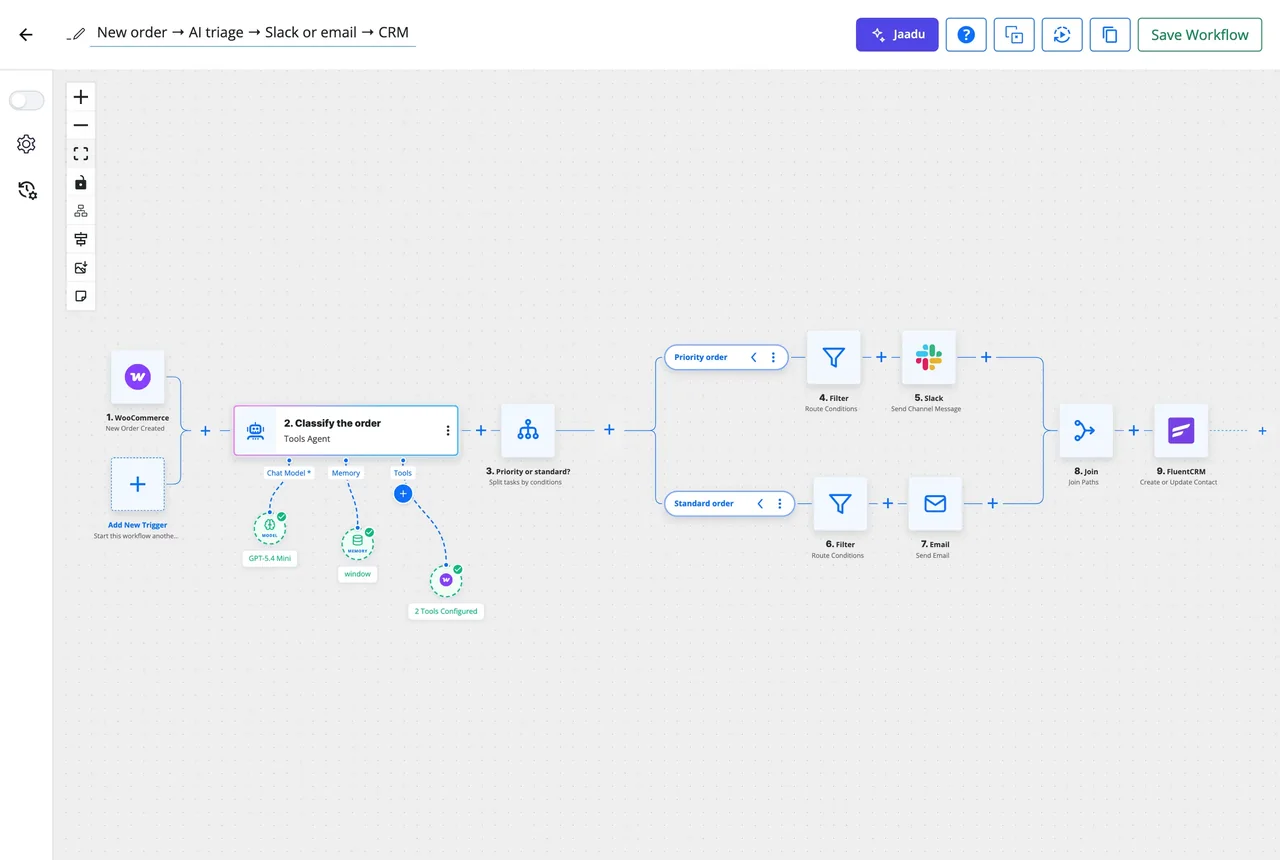
Triggers, apps and logic on one canvas: Router, Filter, Iterator, Delay, Join, sub-workflows and 60+ modules.
Give an agent a goal and tools; it reasons and acts inside the workflow with your own key for 11 providers.
Describe the automation and Jaadu builds it on the canvas, picks the apps and fixes what breaks.
Connect Claude, ChatGPT or Cursor to your site and build, run and inspect workflows from chat. Call any MCP server from a step.
Catch, send and answer webhooks; run on a schedule. FlowMattic Cloud retries deliveries and fires schedules on time.
A builder suite whose every output is a workflow step: form submissions, generated documents, images, designed emails and appointments.
A database inside WordPress for leads, approvals and app data, plus a managed database with views, cards and shareable templates.
CRMs, email, e-commerce, payments, AI providers and WordPress plugins. Any REST API can become a Custom App.
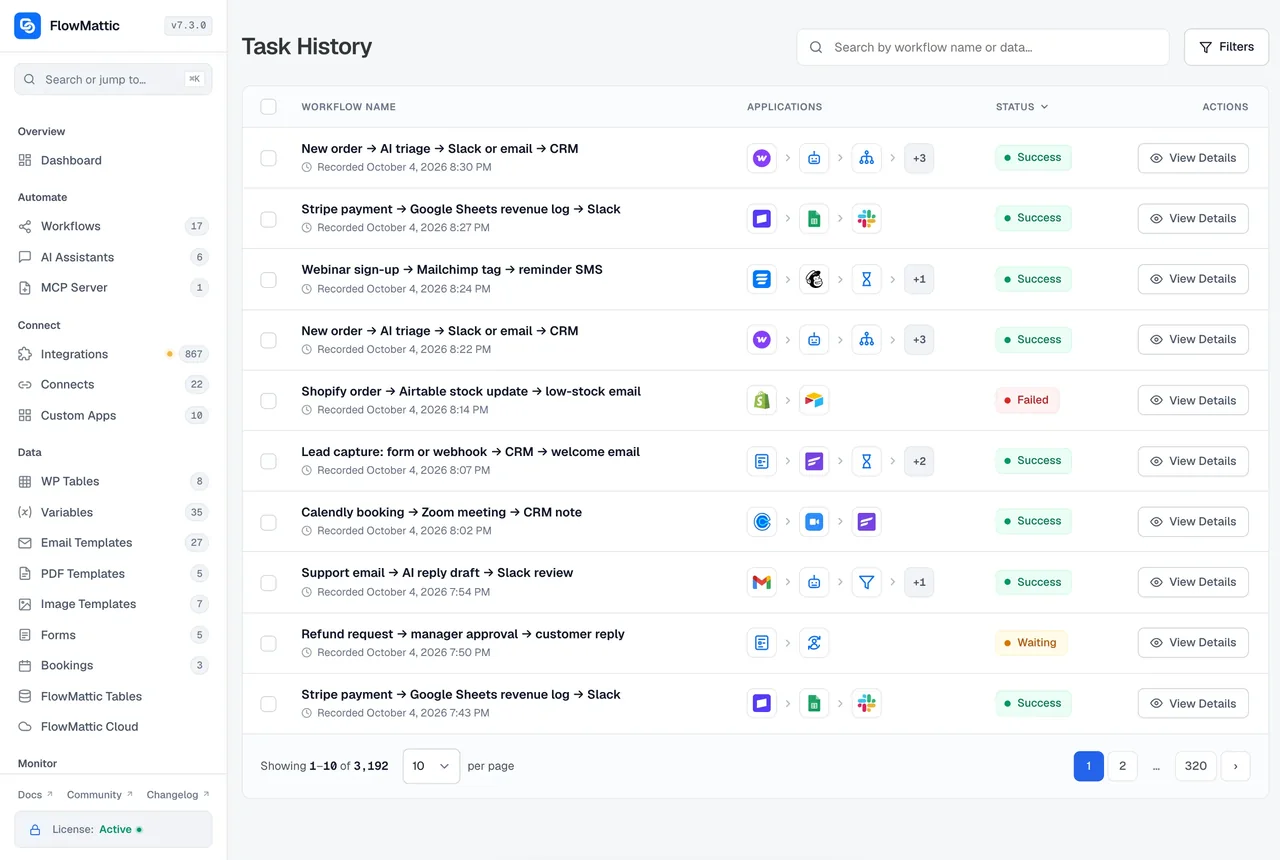
Every run, every step, the data in and out. Re-execute a failed run with its original or edited data.
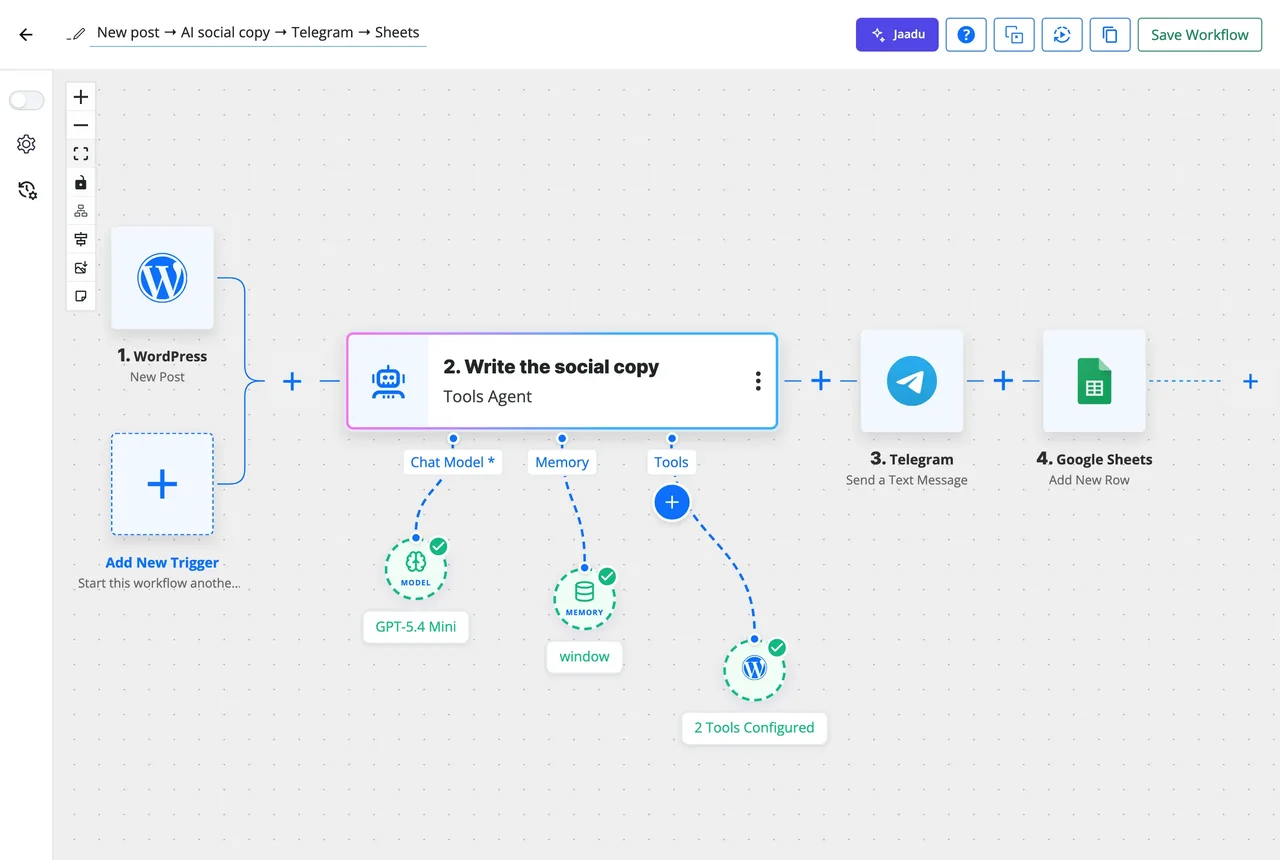
An AI Agent step takes a goal and the tools it may use: the workflow's own modules, your integrations, or tools on an external MCP server. It reasons, calls them, keeps context and iterates until the task is done. You bring your own key for OpenAI, Claude, Gemini, Mistral, Groq, DeepSeek and more, including a local model through an OpenAI-compatible endpoint.

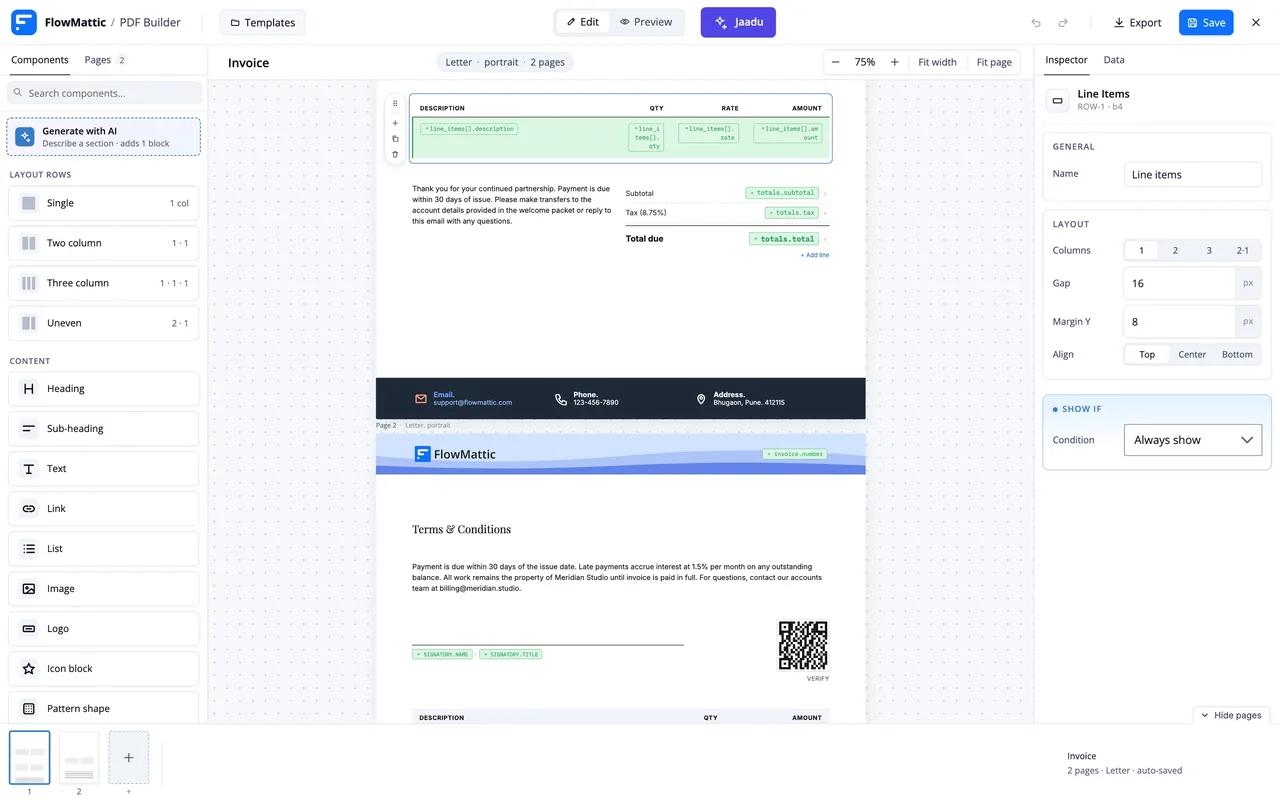
Design an invoice, certificate or social card once. Each run fills it with live data and hands the file to the next step: email it, store it in Drive, attach it to an order. Forms and bookings start workflows directly, with no connector plugin in between.

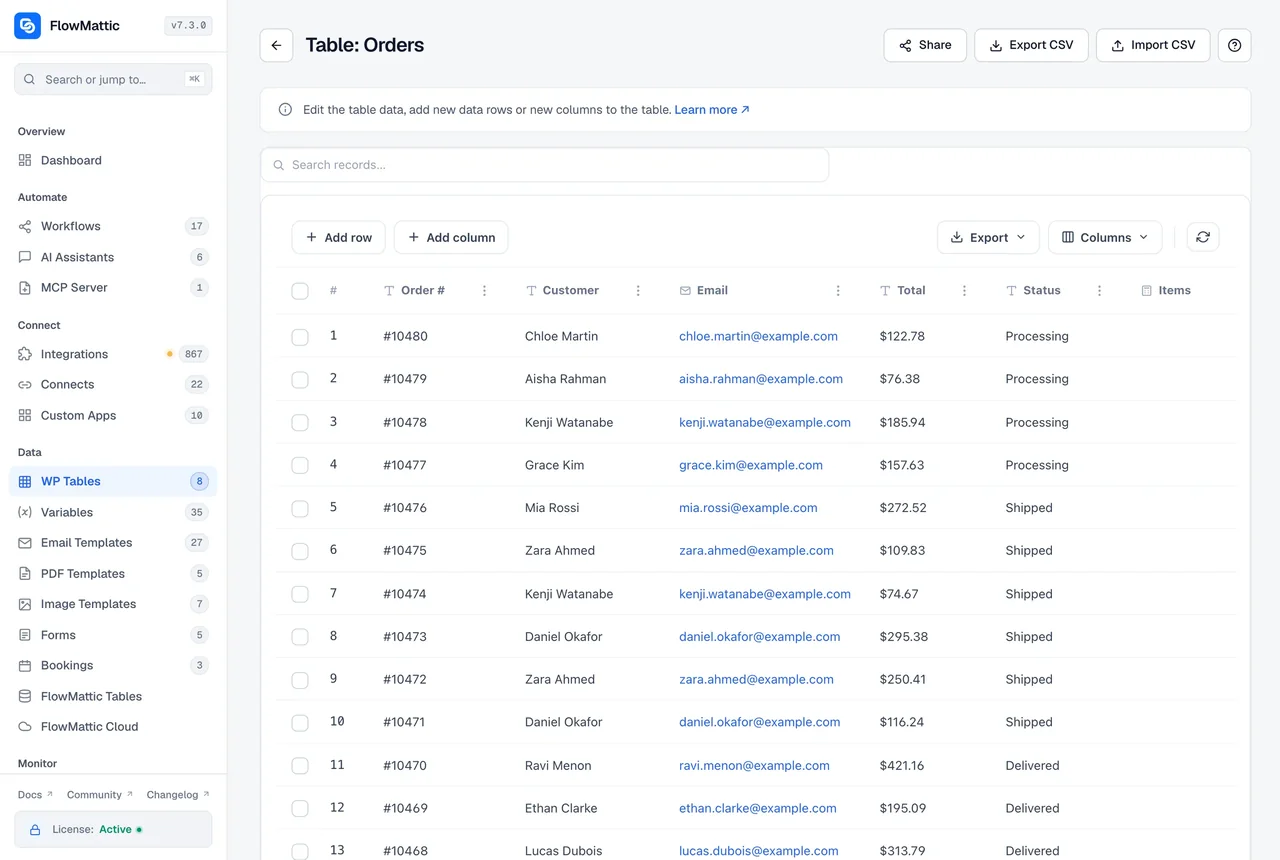
WP Tables stores leads, approvals, logs and app data in your own WordPress database, readable and writable from any step, with buttons that run workflows from a row. FlowMattic Tables adds a managed database with saved views, card layouts and shareable HTML templates for larger or shared datasets.

Task History records each run with the inputs every step received and the response it returned, secrets masked. Filter by workflow, status and date, open a run to see where it stopped, and re-execute it with the original or an edited payload. Failures can also email you or start another workflow.

New integrations ship most weeks. Each one brings its real triggers and actions, not a generic HTTP step.
The library holds 4,596 importable workflows built by the FlowMattic team. Import one, connect your accounts, switch it on.
Hosted automation tools charge for every task or operation, so a busy store pays more each month. FlowMattic is a plugin: every plan includes every feature and unlimited runs, and the only choice is how many sites you activate it on. Pay yearly, or once for life.
| What you get | FlowMattic | Hosted tools |
|---|---|---|
| Workflow runs | Unlimited | Metered per task |
| Where it runs | Your WordPress server | Their cloud |
| AI agents | Included, your own key | Add-on or credits |
| Forms, PDF, image, email builders | Included | Separate products |
| WordPress and WooCommerce events | Native triggers | Through a connector |
| MCP server for AI clients | Built in | Varies |
It contains a lot of integrations and custom actions that allow you to easily integrate your WordPress with many 3rd party applications and automate your tasks
This tool is very well designed in terms of UX and capabilities. A person who has no technical knowledge can do his/her flow and thus automate his/her work. If there are more difficult topics, the support is amazing. Additionally, there is a strong community on Facebook where you...
I love, that you don´t need to login to a different website and everything works in your wordpress backend.
It is self hosted and wordpress based. So you can effectively run this on any shared hosting with unlimited tasks. And new integrations are constantly being added. It's crazy how valuable this tool is.
The software works really well, and the team is adding integrations constantly, so I'm positive it eventually will catch up with Zapier. The flows are very easy to create and if you have any doubt, the team will give you great support.
Easy to use, familiar UI for automating all kinds of wordpress tasks. Integrating all our plugins together is key and flowmattic fits the job perfectly.
Certified specialists who design, build and maintain automations, from a single workflow to an agency's whole setup.
FlowMattic is a WordPress plugin, so workflows run on your own server with unlimited runs and no per-task billing. It also includes AI agents for 11 providers, the Jaadu copilot, an MCP server and client, and builders for forms, PDFs, images, emails and bookings, which the hosted tools sell separately or not at all.
No. Workflows are built on a visual canvas, fields are filled by picking data from earlier steps, and Jaadu can assemble a whole workflow from a plain description. A PHP Function module and Custom Apps are there if you do want to code.
No. Every plan includes unlimited workflows and unlimited runs on every site it is activated on. The only ceiling is your own server.
909+ apps: CRMs, email, e-commerce, payments, AI providers, communication tools and WordPress plugins, with new integrations most weeks. Anything missing can be added as a Custom App from its REST API, or by importing an OpenAPI, Swagger or Postman spec.
On your WordPress server. Credentials are stored in your own site database and never on a FlowMattic server, runs are logged there, and AI requests go directly to the provider you choose with your own key. FlowMattic Cloud is optional and only relays webhooks and schedule timings.
Yes. The Try FlowMattic free page gives you a live demo site with the full plugin so you can build a real workflow before buying. Every purchase also has a 30-day money-back guarantee.
Did not find your answer? You can browse the help center or ask us directly.
Install FlowMattic on your site, or try it on a live demo first. Every plan includes every feature and a 30-day money-back guarantee.

Unlimited workflows and runs Self-hosted 909+ integrations